EasyManua.ls Logo

SpeedLink XEOX SL-6566-BK-01 - User Manual

SpeedLink XEOX SL-6566-BK-01
7 pages
Print Icon
To Next Page IconTo Next Page
Loading...
CONFORMITY NOTICE
IMPORTER/MANUFACTURER:
Jöllenbeck GmbH
Kreuzberg 2
27404 Weertzen
GERMANY
Phone: +49 4287 9244 0
PRODUCT DETAILS:
Product no.: SL-6566-BK-01
Type description: XEOX Wireless Gamepad, black
THE PRODUCT COMPLIES
WITH THE FOLLOWING DIRECTIVES:
RED 2014/53/EU
RoHS 2011/65/EU
For a full declaration of conformity, please contact us at
www.speedlink.com/en/contact
Further information: www.speedlink.com
WARNING SYMBOLS
AND MARKINGS
Li-ion battery.
Further information: www.speedlink.com
NO
Teknisk support: www.speedlink.com
Sikkerhetsinformasjon: www.speedlink.com
WEEE: Lever apparatet inn til en miljøstasjon til resirkulering.
Skal ikke kastes i husholdningsavfall. Ikke-fagmessig utført
lagring/avfallsbehandling kan føre til miljøskade/helseskade.
Speedlink erklærer at produktet samsvarer med kravene
som står oppført under «Conformity notice».
FORSKRIFTSMESSIG BRUK
Dette produktet skal brukes som inndataenhet for tilkopling til
en datamaskin for innendørs hjemme- eller kontorbruk, og må
beskyttes mot fuktighet. Produktet er vedlikeholdsfritt. Ikke forsøk
å åpne produktet, og ikke bruk det hvis det er skadet. Jöllenbeck
GmbH kan ikke holdes ansvarlig for produkt- eller personskader
som skyldes at produktet er brukt på en uaktsom eller ikke-
forskriftsmessig måte, eller til andre formål enn det som er tiltenkt.
Vennligst oppevar denne informasjonen for senere referanse.
FI
Tekninen tuki: www.speedlink.com
Turvaohjeet: www.speedlink.com
WEEE: Vie laite kierrätysasemalle. Älä hävitä kotitalousjätteen
mukana. Epäasianmukainen varastointi/hävittäminen voi
vahingoittaa ympäristöä ja/tai terveyttä.
Speedlink vakuuttaa, että tuote vastaa ”Conformity notice”
esitettyjä vaatimuksia.
MÄÄRÄYSTENMUKAINEN KÄYTTÖ
Tämä tuote soveltuu syöttölaitteeksi tietokoneeseen liitettäväksi
koti- tai toimistokäyttöön kuivissa, suljetuissa tiloissa. Tuotetta ei
tarvitse huoltaa. Ei saa avata tai käyttää, jos se on vahingoittunut.
Jöllenbeck GmbH ei ota minkäänlaista vastuuta tuotevaurioista
tai henkilöiden loukkaantumisista, jotka johtuvat tuotteen
huolimattomasta, asiattomasta tai ilmoitetusta käyttötarkoituksesta
poikkeavasta käytöstä.
Säilytä nämä tiedot myöhempää käyttöä varten.
RO
Asistenţă tehnică: www.speedlink.com
Indicații de siguranță: www.speedlink.com
WEEE: Predați aparatul unui centru de reciclare. Nu îl
eliminați împreună cu deșeul menajer. Depozitarea/
eliminarea necorespunzătoare poate provoca daune
mediului înconjurător și/sau sănătății.
Speedlink declară că produsul respectă cerințele
enumerate în „Conformity notice”.
UTILIZARE CONFORMĂ
Acest produs este adecvat numai ca dispozitiv periferic de intrare,
pentru conectarea la un computer de uz domestic sau la birou,
în spații închise și uscate. Produsul nu necesită întreţinere. A nu
se deschide și a nu se folosi dacă prezintă daune. Compania
Jöllenbeck GmbH nu îşi asumă răspunderea pentru deteriorări ale
produsului sau vătămări corporale cauzate de utilizarea neatentă,
necorespunzătoare sau neconformă destinaţiei produsului, indicate
de producător.
Vă rugăm să păstrați aceste informații
pentru a le putea consulta ulterior.
HR
Tehnička podrška: www.speedlink.com
Sigurnosne napomene: www.speedlink.com
WEEE: Uređaj predajte na sabirno mjesto za recikliranje. Ne
bacajte zajedno s kućnim otpadom. Nepravilno skladištenje /
zbrinjavanje može naškoditi okolišu i / ili zdravlju.
Speedlink izjavljuje da je proizvod u skladu sa zahtjevima
navedenim u „Conformity Notice“.
NAMJENSKA UPORABA
Ovaj proizvod služi kao uređaj za unos za priključak na računalo
i za uporabu u domaćinstvu ili uredu u suhim i zatvorenim
prostorima. Proizvod ne zahtijeva održavanje. Ne otvarajte i koristiti
ako je oštećen. Tvrtka Jöllenbeck GmbH ne preuzima nikakvu
odgovornost za štete na proizvodu ili ozljede nastale nepažljivom
i nenamjenskom uporabom, ili uporabom koja nije u skladu s
navedenom svrhom proizvoda.
Molimo Vas sačuvajte ove informacije za buduću uporabu.
RS
Tehnička podrška: www.speedlink.com
Sigurnosne napomene: www.speedlink.com
WEEE: Predajte uređaj kod centra za reciklažu. Ne odlažite
u kućni otpad. Nepropisno skladištenje/odlaganje može da
bude štetno za životnu sredinu i/ili zdravlje.
Speedlink izjavljuje da je proizvod u skladu sa zahtevima iz
„Conformity notice“.
NAMENSKA UPOTREBA
Ovaj proizvod služi kao uređaj za unos za priključak na računar za
upotrebu u kući ili kancelariji u suhim, zatvorenim prostorijama. Nije
potrebno održavanje. Nemojte otvarati ili koristiti ako je oštećen.
Preduzeće Jöllenbeck GmbH ne preuzima odgovornost za štete na
proizvodu ili povrede osoba usled nepažljive i nestručne primene ili
usled korišćenja koje nije u skladu s navedenom svrhom.
Sačuvajte ove informacije za kasniju upotrebu.
SL
Tehnična podpora: www.speedlink.com
Varnostna navodila: www.speedlink.com
WEEE: Napravo oddajte mestu za recikliranje odpadkov. Ne
zavrzite med gospodinjske odpadke. Nepravilno skladiščenje/
odlaganje med odpadke lahko škoduje okolju in/ali zdravju.
Speedlink izjavlja, da izdelek izpolnjuje zahteve,
navedene v »Conformity notice«.
PREDVIDENA UPORABA
Ta izdelek se uporablja kot vnosna naprava za priključitev na
računalnik za uporabo v suhih, zaprtih prostorih v domačem
gospodinjstvu ali pisarni. Izdelka ni treba vzdrževati. Izdelka ne
odpirajte in ga ne uporabljajte poškodovanega. Družba Jöllenbeck
GmbH ne prevzema nikakršne odgovornosti za škodo na izdelku ali
telesne poškodbe oseb na podlagi nepazljive, neustrezne uporabe
izdelka ali njegove uporabe za namene, ki ne ustrezajo navedbam
proizvajalca o ustrezni uporabi izdelka.
Prosimo vas, da te informacije shranite za prihodnjo rabo.
EE
Tehniline tugi: www.speedlink.com
Ohutusnõuded: www.speedlink.com
WEEE: Andke seade taaskasutuse kogumispunkti.
Mitte käidelda olmeprügis. Asjakohatu laagerdamine/
käitlemine võib kahjustada keskkonda ja/või tervist.
Speedlink kinnitab, et toode vastab „Conformity notice“
all toodud tingimustele.
NÕUETEKOHANE KASUTAMINE
See toode on kodu- ja kontorikasutuseks kuivades ja kinnistes
ruumides ette nähtud arvutiga ühendatav sisendseade. Seade
on hooldevaba. Seadet ei tohi avada ega selle kahjustuste
korral kasutada. Jöllenbeck GmbH ei võta vastutust hooletust,
asjatundmatust või mitteotstarbekohasest kasutamisest tingitud
inimvigastuste võ varakahjude eest.
Säilitage see infoleht tulevaseks kasutamiseks.
EG
www.speedlink.com :
  
www.speedlink.com : 
     .     

:WEEE
           . 
.    
       
Speedlink  
.”Conformity notice„
  
             
.       .    .   
         . . .    
            
.
.         
IL
www.speedlink.com :תינכט הכימת
www.speedlink.com :תוחיטב תוארוה
.תיתיב תלוספל ךילשהל ןיא .רוזחימ תדוקנל רישכמה תא רבעה :WEEE
.תואירבל וא / ו הביבסל קיזהל לולע ןיקת אל קוליס / ןוסחא
תוטרופמה תושירדב דמוע רצומה יכ ,ריהצמ Speedlink
.”Conformity notice„ -ה לש
דועיה יפ לע שומיש
,ידרשמ וא יתיב שומישל בשחמל רוביחל הנזה רישכמכ שמשמ הז רישכמ
תא חותפל ןיא .רישכמה לש הקוזחתב ךרוצ ןיא .םירוגסו םישבי םיללחב
הניא Jöllenbeck GmbH תרבח .םוגפ רישכמב שמתשהל ןיאו ,רישכמה
אל ,ריהז אל שומיש ידי לע םימרגנה ,ףוג תועיגפל וא ,רצומב םיקזנל תיארחא
.תדעוימה הרטמהמ תונוש תורטמל וא ,םיאתמ
.ידיתע שומישל הז עדימ רומש אנא
BG
Техническа поддръжка: www.speedlink.com
Указания за безопасност: www.speedlink.com
WEEE: Предайте уреда в пункт за рециклиране.
Не изхвърляйте в домакинската смет. Неправилно
съхранение/изхвърляне може да навреди на
околната среда и/или здравето.
Speedlink декларира, че продуктът отговаря на
посочените в точка „Conformity notice“ изисквания.
УПОТРЕБА ПО ПРЕДНАЗНАЧЕНИЕ
Този продукт служи като въвеждащо устройство за свързване
към компютър за домашна или офис употреба в сухи, затворени
помещения. Той не се нуждае от поддръжка. Не отваряйте и не
използвайте при повреда. Фирма Jöllenbeck GmbH не поема
отговорност за повреди на продукта или наранявания на лица в
резултат на невнимателна, неправилна или несъответстваща на
посоченото предназначение употреба.
Моля, запазете тази информация за бъдеща употреба.
SK
Technická podpora: www.speedlink.com
Bezpečnostné pokyny: www.speedlink.com
WEEE: Prístroj odovzdajte na recyklačné miesto. Nelikvidujte
v domovom odpade. Neodborné skladovanie/likvidácia môže
škodiť životnému prostrediu a/alebo zdraviu.
Spoločnosť Speedlink vyhlasuje, že produkt zodpovedá
požiadavkám uvedeným pod „Conformity notice“.
POUŽÍVANIE NA URČENÝ ÚČEL
Tento produkt slúži ako vstupné zariadenie pre pripojenie na
počítač pre domovské alebo kancelárske použitie v suchých,
uzatvorených miestach. Nevyžaduje údržbu. Neotvárajte ani pro
poškodení nepoužívajte. Spoločnosť Jöllenbeck GmbH nepreberá
žiadne ručenie za škody na produkte alebo poranenia osôb v
dôsledku neopatrného, neodborného používania alebo používania
nezodpovedajúceho uvedenému účelu.
Túto informáciu uchovajte, prosím, pre budúce použitie.
XEOX
WIRELESS GAMEPAD
USER GUIDE
© 2019 Jöllenbeck GmbH. All rights reserved. Speedlink, the Speedlink word mark
and the Speedlink swoosh are registered trademarks of Jöllenbeck GmbH.
*Windows and DirectInput are registered trademarks of Microsoft Corporation in the United
States and other countries. The Instagram logo is a registered trademark/service mark of
Instagram LLC. The Facebook logo is a registered trademark of Facebook Inc. The Twitter
logo is a registered trademark of Twitter Inc. The YouTube logo is a registered trademark
of YouTube LLC. All trademarks are the property of their respective owner. Jöllenbeck
GmbH shall not be made liable for any errors that may appear in this manual. Information
contained herein is subject to change without prior notice.
Please keep this information for later reference.
POUŽITÍ DLE PŘEDPISŮ
Tento výrobek se používá jako vstupní zařízení pro zapojení
do počítače pro domácí nebo kancelářské použití v suchých,
uzavřených prostorách. Je bezúdržbový. Neotevírat ani nepoužívat
v případě poškození. Firma Jöllenbeck GmbH nepřebírá ručení
za poškození výrobku nebo zranění osob z důvodu neopatrného,
neodborného použití, nebo z důvodu použití výrobku za jiným
účelem, než který byl uveden.
Tyto informace uchovejte pro budoucí potřebu.
PT
Suporte técnico: www.speedlink.com
Avisos de segurança: www.speedlink.com
WEEE: Entregar o aparelho num ponto de reciclagem. Não
eliminar no lixo doméstico. O armazenamento/eliminação
incorreta pode prejudicar o meio ambiente e/ou a saúde.
Speedlink declara, que o produto corresponde aos requisitos
mencionados na «Conformity notice».
UTILIZAÇÃO SEGUNDO AS NORMAS
Este produto deve ser utilizado como dispositivo de interação
para a ligação a um computador e para o lar ou escritório em
espaços secos e fechados. Não necessita manutenção. Não abrir
ou utilizar em caso de danos e defeitos. A Jöllenbeck GmbH não é
responsável por danos no produto ou ferimentos pessoais devido
ao uso descuidado, impróprio ou não de acordo com o propósito
declarado.
Por favor, guarde esta informação para uma futura referência.
DK
Teknisk support: www.speedlink.com
Sikkerhedsanvisninger: www.speedlink.com
WEEE: Apparatet afleveres på en genbrugsplads. Må ikke
bortskaes via husholdningsaaldet. Uhensigtsmæssig
opbevaring/bortskaelse kan være skadeligt for miljøet
og/eller helbredet.
Speedlink forklarer, at produktet svarer til de
krav som er beskrevet i „Conformity notice“.
KORREKT ANVENDELSE
Dette produkt er beregnet til brug som indtastningsenhed til
tilslutning til en computer og må bruges i private hjem eller på
kontorer i tørre, lukkede rum. Det er vedligeholdelsesfrit. Må ikke
åbnes eller bruges, hvis det er beskadiget. Jöllenbeck GmbH giver
ikke garanti for skader på produktet eller personskader, som er
forårsaget af uagtsom, uhensigtsmæssig eller forkert anvendelse
eller anvendelse, som ikke er i overensstemmelse med det angivne
formål.
Du bedes opbevare disse informationer til senere brug.
SE
Teknisk support: www.speedlink.com
Säkerhetsanvisningar: www.speedlink.com
WEEE: Lämna produkten till återvinning. Får inte kastas i det
vanliga hushållsavfallet. Felaktig förvaring/avfallshantering
kan orsaka skador på miljö och/eller hälsa.
Speedlink garanterar att produkten motsvarar kraven i
”Conformity notice”.
FÖRESKRIVEN ANVÄNDNING
Den här produkten ska användas som inputapparat i torra
utrymmen inomhus och anslutas till en dator i hemmet eller på
kontoret. Produkten är underhållsfri. Försök inte öppna produkten
och använd den inte om den är skadad. Jöllenbeck GmbH ansvarar
inte för några skador på produkten eller personskador som är ett
resultat av oaktsamhet, felaktig behandling eller för att produkten
använts i andra syften än de som specificeras av tillverkaren.
Spara den här informationen för senare bruk.
Question and Answer IconNeed help?

Do you have a question about the SpeedLink XEOX SL-6566-BK-01 and is the answer not in the manual?

Summary

Get Started

Charging the Gamepad

Connect the gamepad to a USB port for charging, which may take up to 3 hours. The upper-right LED indicates charging status.

Driver Installation

Download and install the XEOX software from www.speedlink.com. The driver is necessary for vibration functionality.

Connecting the Gamepad

Plug the USB receiver into a PC USB port. The operating system will automatically detect and prepare the device for use.

Establishing Wireless Connection

Press the Mode button for 3 seconds to turn on. The upper-left LED flashes. Press Mode again to connect to the PC.

XInput and DirectInput Modes

Switch between 'X' (XInput for modern games) and 'D' (DirectInput for older games) using the back switch.

D-Pad Mode Options

In DirectInput mode, briefly press the Mode button to cycle between digital D-pad modes.

Rapid-Fire Function

Assign rapid or auto-fire to a button by holding the Rapid button and pressing the desired button.

Controller Settings

Configure vibration functions via Windows Control Panel (DirectInput) or game settings (XInput).

Standby Mode and Power Off

The gamepad enters standby after inactivity. Press the Mode button to reactivate. Hold Mode for 3 seconds to turn off.

Warning Symbols and Markings

Conformity Notice

Product Compliance and Manufacturer Details

Details the importer, product number, type, and compliance with RED and RoHS directives.

Overview

The Speedlink Xeox Wireless Gamepad is a versatile controller designed for PC gaming, offering both XInput and DirectInput modes to ensure compatibility with a wide range of games. This gamepad provides a wireless connection, haptic feedback, and a rapid-fire function, enhancing the gaming experience with convenience and responsiveness.

Function Description

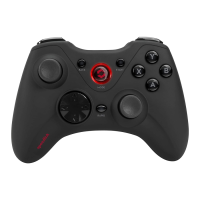
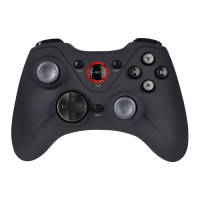
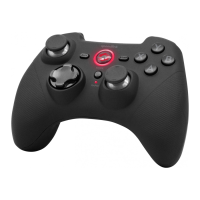
The Xeox Wireless Gamepad serves as a primary input device for PC games, allowing players to control characters and navigate game environments with precision. It features a standard gamepad layout, including two analog sticks, a D-pad, four face buttons (A, B, X, Y), shoulder buttons, and triggers. Additionally, it incorporates a "Mode" button, a "Rapid Fire" button, and a switch on the back to toggle between XInput and DirectInput modes.

The XInput mode is primarily intended for newer games, offering seamless integration and often automatic configuration, as it mimics the Xbox controller standard. In contrast, the DirectInput mode caters to older games and some newer titles that may not fully support XInput, providing broader compatibility. The ability to switch between these modes ensures that the gamepad can be used with a vast library of PC games, from classic titles to the latest releases.

A key feature of the Xeox Wireless Gamepad is its wireless connectivity, which provides freedom of movement and reduces cable clutter. The gamepad connects to the PC via a USB receiver, and the connection process is designed to be straightforward, with the operating system automatically detecting the device. Once connected, the gamepad offers a stable wireless link, allowing for uninterrupted gameplay.

Haptic feedback, or vibration function, is another integral part of the Xeox Wireless Gamepad. This feature immerses players further into the game by providing tactile sensations that correspond to in-game events, such as explosions, collisions, or weapon fire. The vibration function is supported in both XInput and DirectInput modes, though its configuration may vary depending on the game and operating mode.

The rapid-fire function is a specialized feature that allows a designated button to perform multiple presses with a single hold. This can be particularly useful in action-packed games where quick, repetitive inputs are advantageous. The gamepad also offers an "auto fire" mode, where a button, once activated, will continuously fire without needing to be held down, providing an additional layer of convenience for certain gameplay scenarios.

The D-pad on the Xeox Wireless Gamepad offers two distinct modes when operating in DirectInput. One mode functions as a traditional digital D-pad, while the other allows the D-pad to control the axes of the left analog stick. In this alternative D-pad mode, the right analog stick takes on the function of buttons 1 to 4, offering flexible control options depending on the game's requirements or player preference.

Usage Features

To begin using the Xeox Wireless Gamepad, it first needs to be charged. The gamepad is equipped with a Li-ion battery and can be charged by connecting it to any free USB port on a PC or another USB power source using the included mini-USB cable. During charging, the upper-right LED on the gamepad will flash, indicating the charging status. Once fully charged, the LED will remain lit, signaling that the device is ready for use. The initial charge may take up to three hours, and subsequent charges will follow a similar duration.

Before the first use, it is recommended to install the necessary drivers for the Xeox software, which can be downloaded from the Speedlink website. Installing the latest driver version ensures optimal performance and enables the vibration function. Once the drivers are installed, the USB receiver should be plugged into a free USB port on the PC. The operating system will then automatically detect the device, making it ready for connection.

To establish a wireless connection, the "Mode" button on the gamepad must be pressed and held for three seconds to switch the device on. The upper-left LED will start to flash, indicating that the gamepad is searching for a connection. For the initial connection, pressing the "Mode" button again will establish the link to the PC. It is advisable to place the gamepad near the receiver during this process. Subsequent connections will be automatic once the gamepad is switched on, and a successfully established connection will be indicated by the upper-left LED remaining lit.

Switching between XInput and DirectInput modes is done via a physical switch located on the back of the gamepad, labeled 'X' for XInput and 'D' for DirectInput. It is crucial to select the desired mode before starting a game, as switching modes during gameplay may disrupt the controller's recognition by the game, potentially requiring a game restart. Players may need to consult game manuals or experiment with both modes to determine which works best for a specific title.

The rapid-fire function is activated by holding down the "Rapid" button and then pressing the desired button to which the rapid-fire function should be assigned. The lower-right LED will flash to confirm that the gamepad is in rapid-fire mode. To switch to auto-fire mode, the user presses the assigned button again while still holding the "Rapid" button. In auto-fire mode, the lower-right LED will flash, and the button will automatically fire in rapid succession when pressed once. To revert a button to single-fire mode, the "Rapid" button should be held down, and the relevant button pressed again.

The D-pad mode can be toggled in DirectInput mode by briefly pressing the "Mode" button. If the lower-left LED is lit, the D-pad is in "coolie-hat" mode, controlling the axes of the left analog stick, with the right analog stick taking over buttons 1-4. If the LED is not lit, the D-pad functions as a standard digital D-pad.

The gamepad includes a standby mode to conserve battery life. After seven minutes of inactivity, or 30 seconds if a wireless connection has not been established, the gamepad will automatically enter standby. To reactivate it, simply press the "Mode" button. If the upper-right LED starts flashing during use, it indicates that the battery is low and the gamepad needs to be charged. The gamepad can be used simultaneously while it is charging. To switch off the gamepad completely, press and hold the "Mode" button for three seconds.

Maintenance Features

The Xeox Wireless Gamepad is designed for ease of use and durability. While specific maintenance instructions are not extensively detailed, general care practices apply. Keeping the gamepad clean by wiping it with a soft, dry cloth will help maintain its appearance and prevent the accumulation of dust or debris in the buttons and crevices. Avoiding exposure to extreme temperatures, moisture, and direct sunlight will also contribute to its longevity.

The internal Li-ion battery is designed for rechargeable use. Following the charging guidelines, such as not overcharging and ensuring the device is charged when the low battery indicator appears, will help prolong the battery's lifespan. The ability to use the gamepad while charging adds convenience, reducing downtime.

For troubleshooting or to test the gamepad's functions, users can access the "Game Controllers" option in the Windows Control Panel (available in Windows 7, 8, and 10). In DirectInput mode, this section also provides options for configuring the vibration function. For XInput games, vibration settings are typically managed within the game's own options menu. It's important to note that vibration functions will only work if supported by the specific game being played.

In case of any issues or for further information, users are directed to the Speedlink website, which provides driver updates, conformity declarations, and contact information for support. Regularly checking for and installing the latest drivers from www.speedlink.com is a good maintenance practice to ensure the gamepad operates with the most current features and bug fixes, particularly for the vibration function.

The product is manufactured by Jöllenbeck GmbH and complies with European directives RED (2014/53/EU) and RoHS (2011/65/EU), indicating adherence to safety and environmental standards. This information, along with the product number (SL-6566-BK-01) and type description (XEOX Wireless Gamepad, black), is provided for reference and compliance. The manual also includes a warning symbol for the Li-ion battery, emphasizing proper disposal and environmental responsibility.

SpeedLink XEOX SL-6566-BK-01 Specifications

General IconGeneral
ModelXEOX SL-6566-BK-01
CategoryVideo Game Controller
TypeGamepad
ConnectivityWired
InterfaceUSB
CompatibilityPC
Buttons12
Analog Sticks2
D-PadYes
Vibration FeedbackYes
Cable Length1.9 meters

Related product manuals