Need help?
Do you have a question about the SpeedLink SL-6566-BK-01-V2 and is the answer not in the manual?
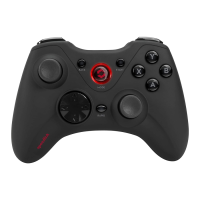
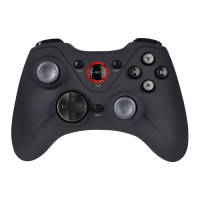
Connect the gamepad via USB cable to charge its integrated batteries.
Download and install the latest XEOX software driver for full functionality.
Plug the USB receiver into a PC USB port; the OS will detect it automatically.
Power on the gamepad by holding HOME, then press HOME again to establish a wireless connection.
Switch between XInput and DirectInput modes using the switch on the back.
Change D-pad behavior in DirectInput mode for coolie-hat or analog stick control.
Assign rapid-fire or auto-fire to buttons by engaging the Rapid button.
Test gamepad functions via Windows Control Panel's Game Controllers option.
The gamepad enters standby after inactivity; reactivate by pressing the HOME button.
Use as an indoor computer input device only; do not disassemble or misuse.
Extended use may cause discomfort; take breaks and seek medical advice if needed.
Do not dispose of with household waste; follow local recycling regulations for proper disposal.
Handle the lithium-ion battery with care; use correct chargers and avoid extreme conditions.
Information on EU conformity and potential interference from electromagnetic fields.
For technical assistance, contact the support team via the official website www.speedlink.com.
 General
| Brand | SpeedLink |
|---|---|
| Model | SL-6566-BK-01-V2 |
| Category | Video Game Controller |
| Language | English |


 To Next Page