7
Hardware Setup
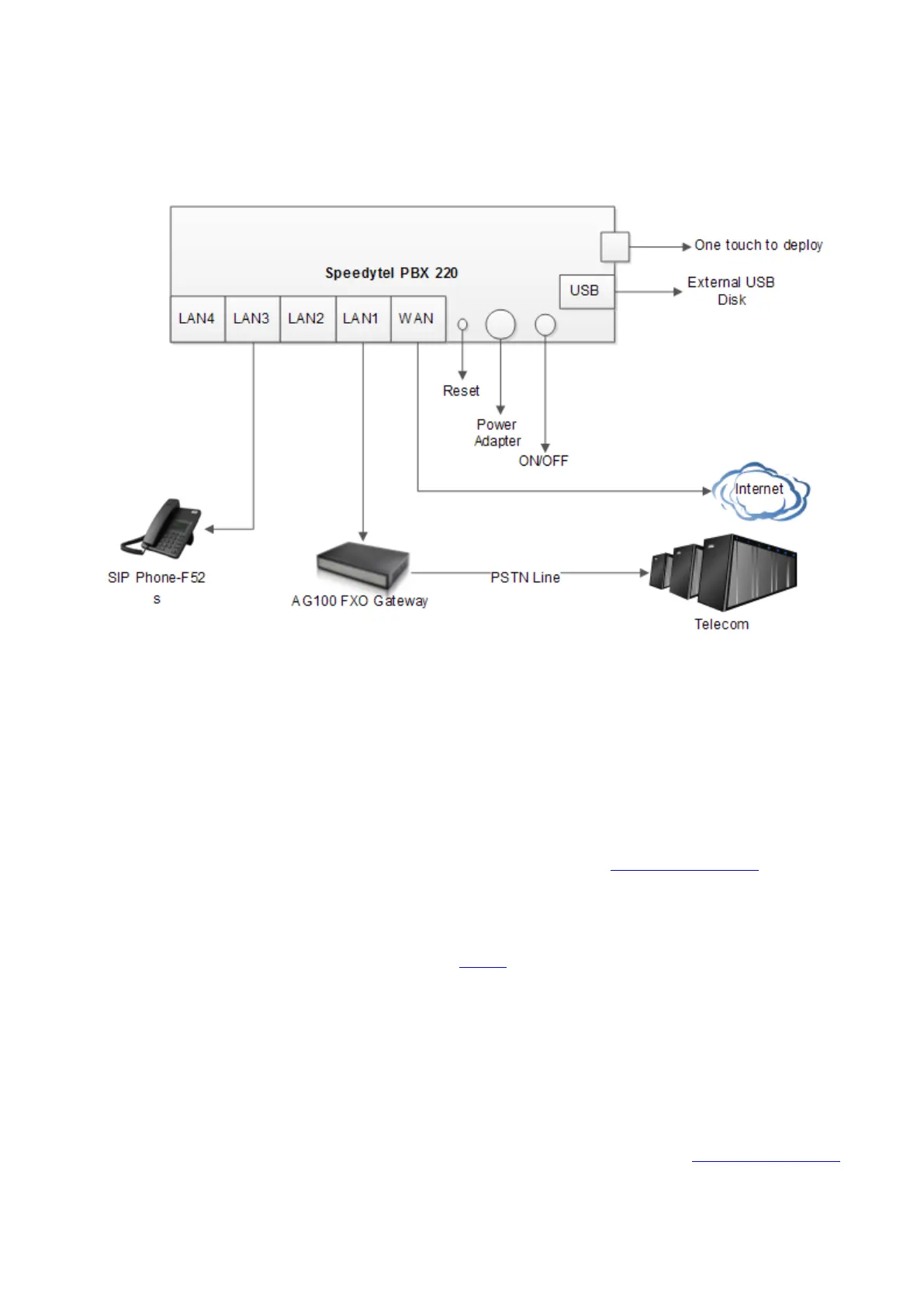
You may check the above picture to configurate.
Step 1: Connect the LAN port of PBX220 with your corporate IP network. Before you
connect the PBX220 to the network, please check if your network can work normally.
Step 2: Plug in and open your browser to visit the web address: Http://192.168.1.1
Make sure your PC IP address is 192.168.1.XXX
(If you use IE6 and above, the prefix address http:// can’t be left out)
Now we access to the Wizard page.
Username: admin (By default)
Password: admin (By default)
Or you can find the WiFi SSID : WiFi Router and log in. The visit the web : Http://192.168.1.1


 To Next Page