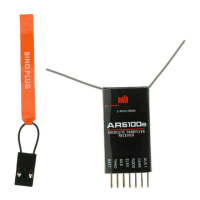
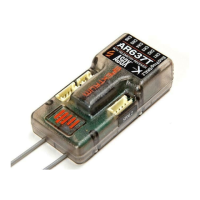
4. Follow the procedures of your specic transmitter to enter Bind Mode; the
system will connect within a few seconds. Once connected, the orange LED on
the receiver will go solid indicating the system is connected.
5. Remove the bind plug from the BATT/BIND port on the receiver before you
power off the transmitter and store it in a convenient place.
IMPORTANT: Remove the bind plug to prevent the system from entering bind
mode the next time the power is turned on.
Step 7. Radio Setup and Programming
Following the instructions in your radio manual, program your airplane.
Step 8. Rebinding the Receiver
After you’ve programmed your model, it’s important to rebind the system so the true
failsafe control surface positions are set.
Step 9. Ground Range Testing and Verification Red LED
Advanced Range Testing
In airplanes that have signicant carbon ber construction, it is imperative to rst
do an advanced ground range check. This ground range check will confirm that
the receiver is operating optimally and that the antennas are properly mounted in
a position that will give positive RF coverage in all attitudes. This advanced range
check allows the RF performance of the receiver and the positions of each antenna to
be veried and to optimize the locations of the antennas.
Advanced Range Test
1. Turn on the system (Tx and Rx).
2. Have a helper hold your aircraft while observing the red LED (labeled with H)
located on the receiver.
3. Standing 30 paces away from the model, face the model with the transmitter in
your normal ying position and put your transmitter into range test mode. This
causes reduced power output from the transmitter.
4. Have your helper position the model covering all orientations (nose up, nose
down, nose toward the Tx, nose away from the Tx, etc.) while watching the red
LED, noting any correlation between the aircraft’s orientation and when holds
occur. Do this for one minute. The timer on the transmitter can be used here.
5. After one minute, release the range test button. A successful installation will
yield the following: no holds, no ashing red LED.
If any holds occur redo the test, noting the orientation of the aircraft when the holds
occur. This will allow you to change and optimize the antenna position(s) to a better
location.
Step 10. Short Test Flight Verification with Hold Indicator
When the system tests successfully, it’s time for a short near test ight. This rst
ight should be close (in less than 200 feet) and about ve minutes or less. After the
ight, land near yourself and check that no holds occurred. A successful ight will
result in 0 holds. Extend the ight distance and times, checking the Hold data after
every ight until you are condent with the results.
IMPORTANT: Y-Harnesses and Servo Extensions
When using Y-harness or servo extensions, it’s important to use standard non-
amplied Y-harnesses and servo extensions as they can/will cause the servos to
EN



 To Next Page