Need help?
Do you have a question about the Spektrum AR636 and is the answer not in the manual?
Explains the technical operation of DSMX technology and its advantages.
Details functional differences between DSMX and older DSM2 systems.
Discusses flight log data interpretation, specifically fade counts in DSMX.
Presents test results demonstrating the reliability and performance of DSMX.
Explains DSMX compatibility with existing DSM2 hardware.
Provides information on upgrading DSM2 transmitters for DSMX functionality.
Confirms the inclusion of advanced features like ModelMatch and ServoSync in DSMX.
Lists key features like AS3X integration and applications for aircraft.
Details technical specifications including dimensions, weight, and voltage range.
Step-by-step guide on how to bind the AR636 receiver to a transmitter.
Defines what is covered and not covered by the limited warranty.
Outlines the customer's recourse and Horizon's liability limits.
Specifies governing law and how to obtain warranty service.
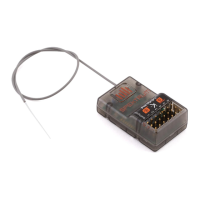
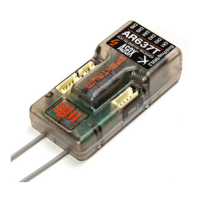
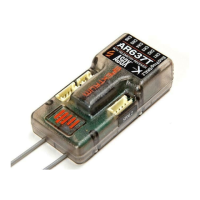
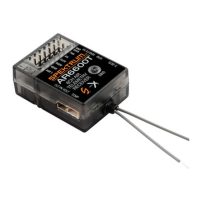
The Spektrum AR636 is a full-range, 6-channel receiver designed for use with remote-controlled aircraft. It incorporates DSMX® technology, making it compatible with all Spektrum™ transmitters that support DSM2® and DSMX protocols. This receiver is particularly notable for its integrated AS3X® technology, which enhances flight stability and control.
The AR636 offers several key features that contribute to its versatility and performance. As a 6-channel full-range receiver, it provides comprehensive control for various aircraft types. The integrated AS3X technology is a significant advantage, offering three distinct gyro modes: Off, Rate Mode, and Heading Hold. These modes allow pilots to customize the level of stability assistance based on their preferences and the aircraft's characteristics. The receiver also features assignable channel outputs, providing flexibility in how servos and other components are connected and controlled. It is designed for full-range aircraft using up to 6 channels, though it is important to note that it is not recommended for use in aircraft with full carbon fiber fuselages due to potential signal interference.
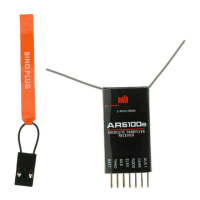
Setting up and maintaining the AR636 involves several steps to ensure optimal performance and safety. The receiver must be bound to the transmitter before operation. This binding process teaches the receiver the specific code of the transmitter, ensuring it only connects to that particular unit. During binding, it is advised not to connect any servos if the AS3X feature will be used, as the Spektrum AS3X Programmer app will guide the user on servo connections once AS3X is activated. The binding procedure involves inserting a bind plug into the BIND port, powering the receiver through an open channel port (never a telemetry port), and then putting the transmitter into bind mode. Binding is confirmed when the orange LED on the receiver becomes solid. After initial setup, it is crucial to remove the bind plug to prevent the system from re-entering bind mode on subsequent power-ups. Additionally, after setting up the model, the transmitter and receiver should always be rebound to establish the desired failsafe positions.
Antenna polarization is a critical aspect of installation for optimum RF link performance. The antennas should be mounted in an orientation that allows for the best possible signal reception across all aircraft attitudes and positions, typically perpendicular to each other (vertical and horizontal) and at different angles. The receiver itself can be installed under the canopy or in the bottom of the fuselage, with servo pins pointing toward the nose or tail. Double-sided foam tape is recommended for securing the receiver.
The AS3X technology, while integrated, is turned off by default in AR636 receivers. To activate it, the receiver must be properly installed, and the Spektrum Programmer app downloaded to a mobile device (iOS or Android). An interface cable (SPMA3081, sold separately) is required for programming. The activation process involves binding the transmitter and receiver, powering them on, opening the AS3X application, connecting the audio interface cable to the BIND/PROG port, using the app to program the receiver, and finally pressing "Update" to save the programming.
The AR636 features two types of failsafe: SmartSafe™ and Preset Failsafe, with SmartSafe being recommended for most aircraft. SmartSafe ensures that if signal loss occurs, the throttle channel moves to a preset low throttle position (set during binding), while all other channels hold their last position. Normal aircraft operation resumes once the receiver detects a signal from the transmitter. When the receiver is powered on without a transmitter signal, SmartSafe technology ensures no throttle output to prevent accidental operation or arming of the electronic speed control, and other channels are driven to their preset failsafe positions.
Range testing is a vital maintenance step to perform before each flying session, especially with a new model. All Spektrum aircraft transmitters include a range testing system that reduces output power when activated. The standard range check involves standing about 30 paces (90 feet/28 meters) away from the model with the transmitter in range check mode and ensuring total control. For more sophisticated models with significant conductive material, an Advanced Range Testing using a flight log is recommended. This check helps confirm optimal operation of internal and remote receivers and optimizes their placement. If a telemetry-capable transmitter or an STi™ interface is not available, a Flight Log can be connected to the BIND/Prog port. During advanced range testing, the model should be positioned in various orientations (nose up, nose down, nose toward/away from the transmitter) while observing telemetry for any higher fade or hold values, and remote receivers repositioned as needed.
Receiver power system requirements are crucial for preventing in-flight failures. The AR636 has a minimum operational voltage of 3.5 volts. It is highly recommended to test the power system, especially if using a questionable setup (e.g., small or old battery, ESC with insufficient BEC current). A voltmeter, such as the Hangar 9® Digital Servo & Rx Current Meter (HAN172) or Spektrum Flight Log (SPM9540), can be used to monitor voltage at the receiver while loading control surfaces. The voltage should remain above 4.8 volts even under heavy servo load. Caution is advised when charging Ni-MH batteries, ensuring they are fully charged to prevent false peaks that could lead to a crash.
The receiver also incorporates QuickConnect™ Technology with Brownout Detection. If the receiver voltage drops below 3.5 volts, the system ceases to operate. When power is restored, the receiver immediately attempts to reconnect, typically within 4/100 of a second if the transmitter was left on. While QuickConnect helps fly safely through short power interruptions, it is critical to determine and correct the root cause of any brownout before the next flight to prevent a crash.
The Flight Log (SPM9540 Optional) is compatible with the AR636 and displays overall RF link performance, individual internal and external receiver link data, and receiver voltage. ModelMatch™ Technology, a patent-pending feature in some Spektrum and JR transmitters, prevents operating a model with the wrong model memory. Each model memory has a unique code (GUID) programmed into the receiver during binding, ensuring the receiver only connects if the corresponding model memory is selected on the transmitter. If the system fails to connect, checking the selected model memory is the first troubleshooting step.
In terms of connectivity, DSMX is fully compatible with DSM2 hardware. DSMX transmitters are compatible with all DSM2 and DSMX receivers, and DSM2 transmitters are compatible with all DSM2 and DSMX receivers. However, DSMX technology is active only when both the transmitter and receiver are DSMX enabled. It's important to note that DSMX receivers are not compatible with DSM2 remote receivers, and vice versa. Upgraded DX5e and DX6i transmitters are compatible with all DSMX receivers except high-speed DSM2 receivers, which require these transmitters to be manually put into DSM2 mode.
When powering on the system, either the receiver or transmitter can be turned on first. The DSM 2.4GHz transmitter's GUID code is stored in the receiver during binding, so the receiver will wait in failsafe mode for a signal from the correct transmitter. If the system takes longer to connect or fails to connect, it could be due to the transmitter being too close to the receiver (within 4 feet) or near reflective materials, which can cause "noise." Moving away from such objects usually resolves this. DSM systems require at least 3.5V to operate normally, and using multiple high-voltage servos with an inadequate power supply can cause momentary voltage drops, leading to a "brown out" and reconnect. The QuickConnect with Brownout Detection section provides more details on this.
A DSM receiver cannot be unbound from its transmitter without user intervention, so accidental unbinding in flight is not a concern. Testing the system with a Spektrum Flight Log is important, especially for sophisticated models with conductive materials like carbon fiber or metal, as these can affect 2.4GHz signals. The Flight Log helps determine the optimum receiver location to minimize signal performance issues.
 General
| Channels | 6 |
|---|---|
| Modulation | DSMX/DSM2 |
| Band | 2.4GHz |
| Range | Full |
| Telemetry | No |
| Integrated Gyro | Yes |
| Voltage Range | 3.5V-9.6V |
| AS3X | Yes |
| SAFE | Yes |

 To Next Page