6
EN
Connecting
Using the InterLink DX Controller
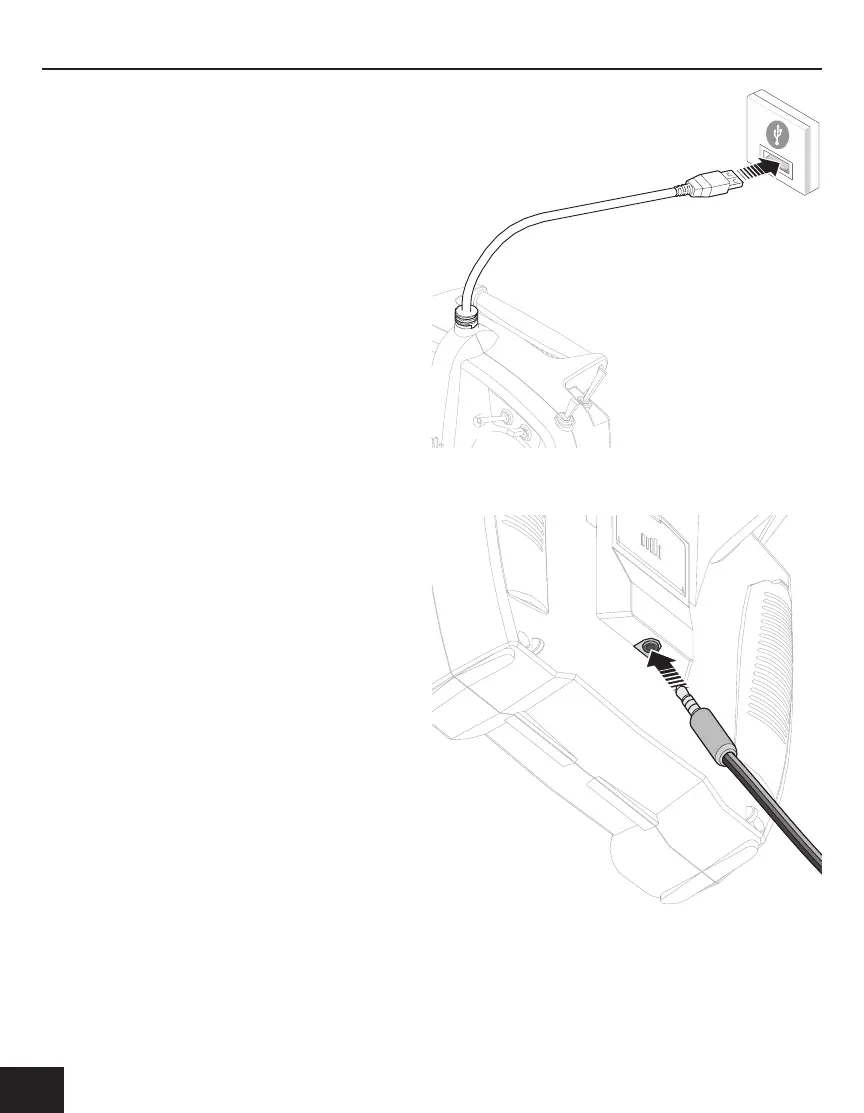
To use the InterLink DX as a simulator controller, connect the
USB cable in the top of the transmitter to your computer’s
USB port.
Connecting Other Transmitters to the Flight Simulator
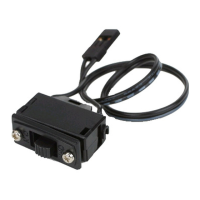
To connect other compatible transmitters to the ight simu-
lator, insert a Spektrum-compatible trainer cord into the port
at the back of the InterLink DX. The Interlink DX becomes a
pass through.


 To Next Page