EN
FR
ES
IT
DE
NL
AR
EFFItens AMI
®
I 9
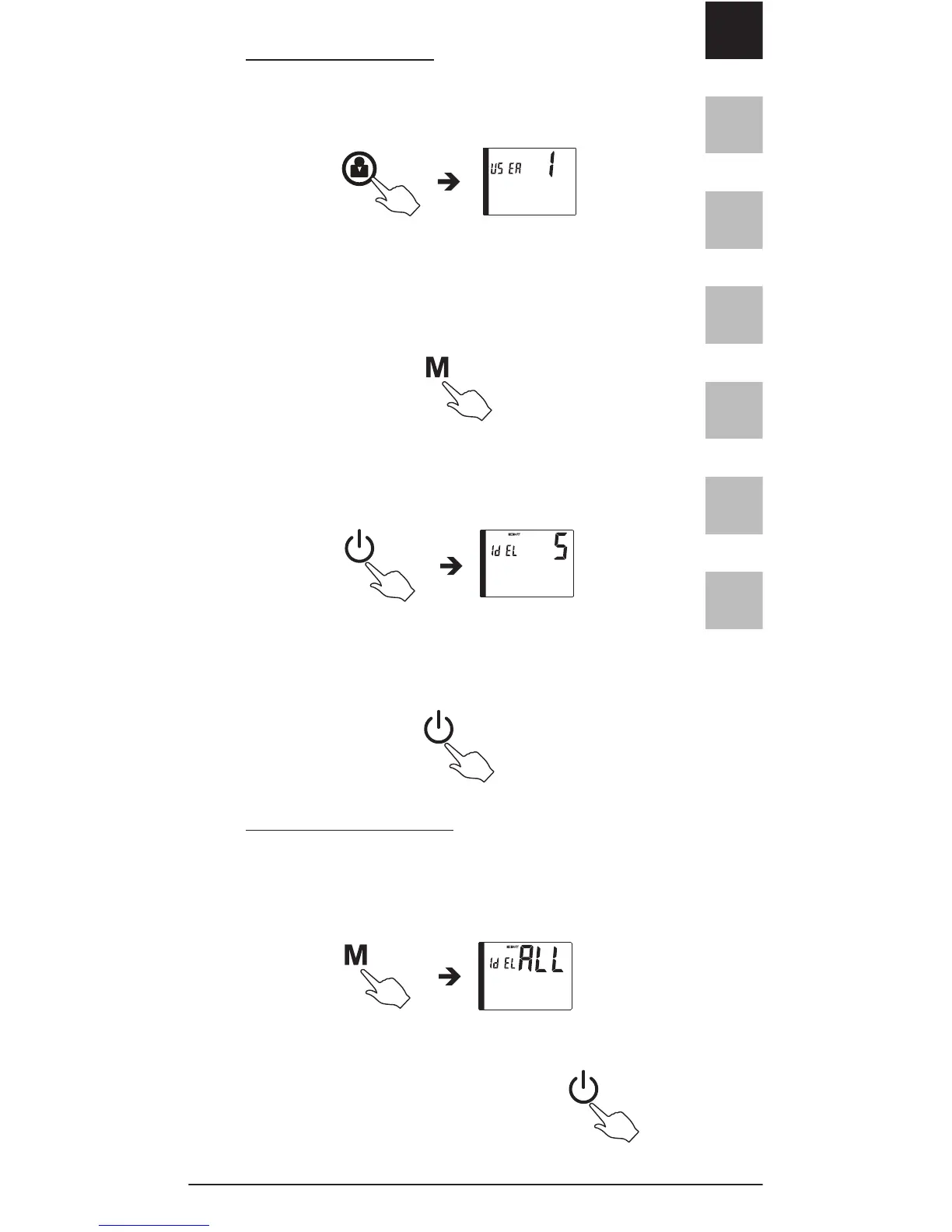
To delete one record:
Step1: Press the USER SELECTION button to choose
the desired user number.
Step2: Press and release MEMORY button to display
records. Press and release MEMORY button again to
choose the record that you wish to delete.
Step3: Press and hold the START/STOP button until
the Display shows"dEL".
Step4: Press and hold the START/ STOP button. After
three beeps are heard, the selected record is deleted.
To delete all memories:
Follow steps 1 and 3 above.
Step4: Press the MEMORY button again and the
display shows "dEL ALL".
Step5: Press and hold the START/
STOP button. After three beeps
are heard, all records are deleted.


 To Next Page