EN
FR
ES
IT
DE
NL
AR
EFFItens AMI
®
I 7
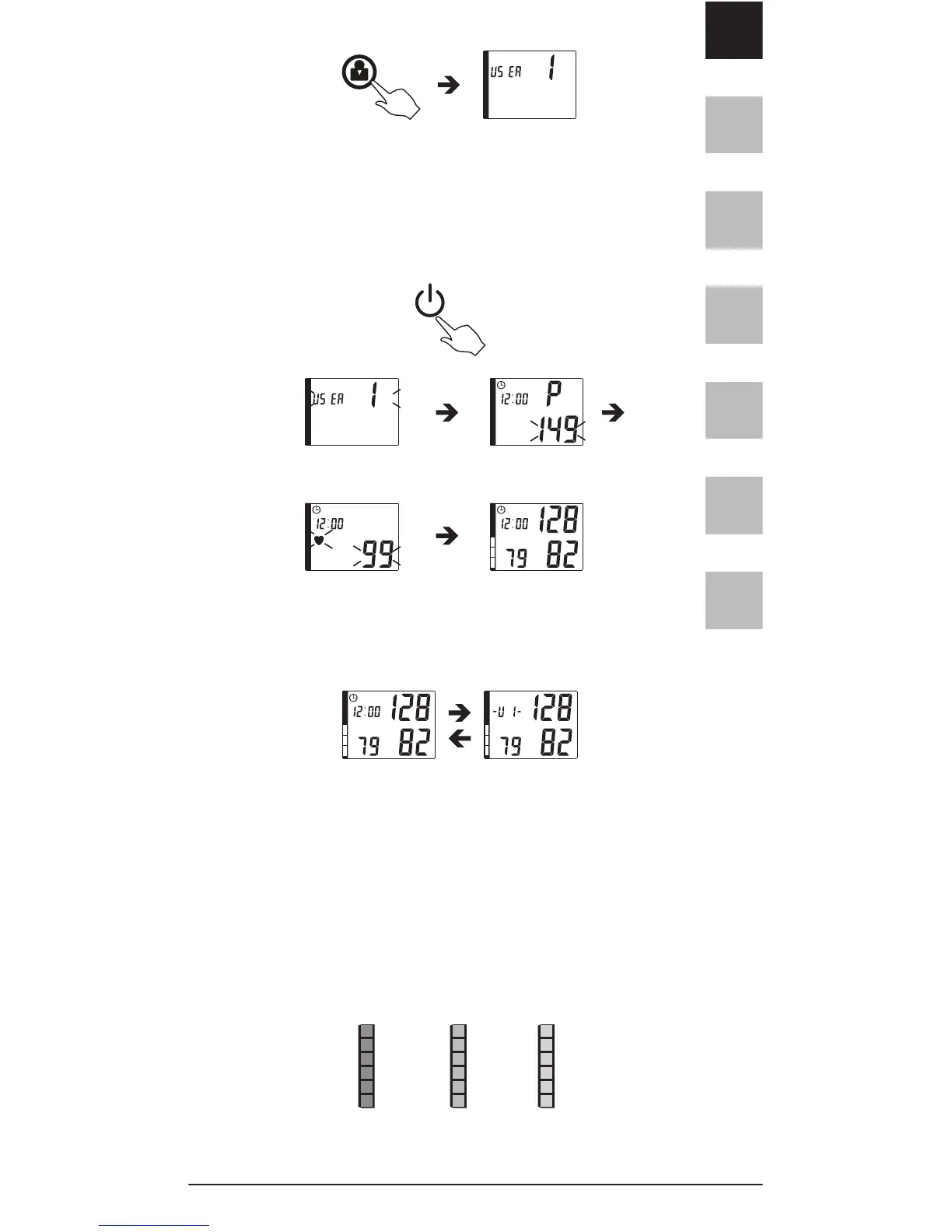
User selection can also be made or changed by
pressing the USER SELECTION button after measu-
rement when the result is displayed on the LCD.
2.3 Press and release the POWER button to start
measuring.
2.4 When the measurement is completed ,the
display will show the measured blood pressure
value, pulse rate and user number.
2.5 Press the Power button to turn off the
unit. Otherwise it will turn off automatically after
150 seconds.
2.6 Depending on the height and color of the bar,
the readout value is either with the normal ( green),
borderline (yellow) or hypertension (red) range.
The classification corresponds to the WHO 6 ranges
recommendations, as described in page 1.


 To Next Page