2
Essentia quick user reference
© Speroni spa
.
All Rights Reserved764500110-00
Homing the machine
Switch on the machine with the dedicated button and wait for the PC to start.
See the “Use and maintenance” manual for more details.
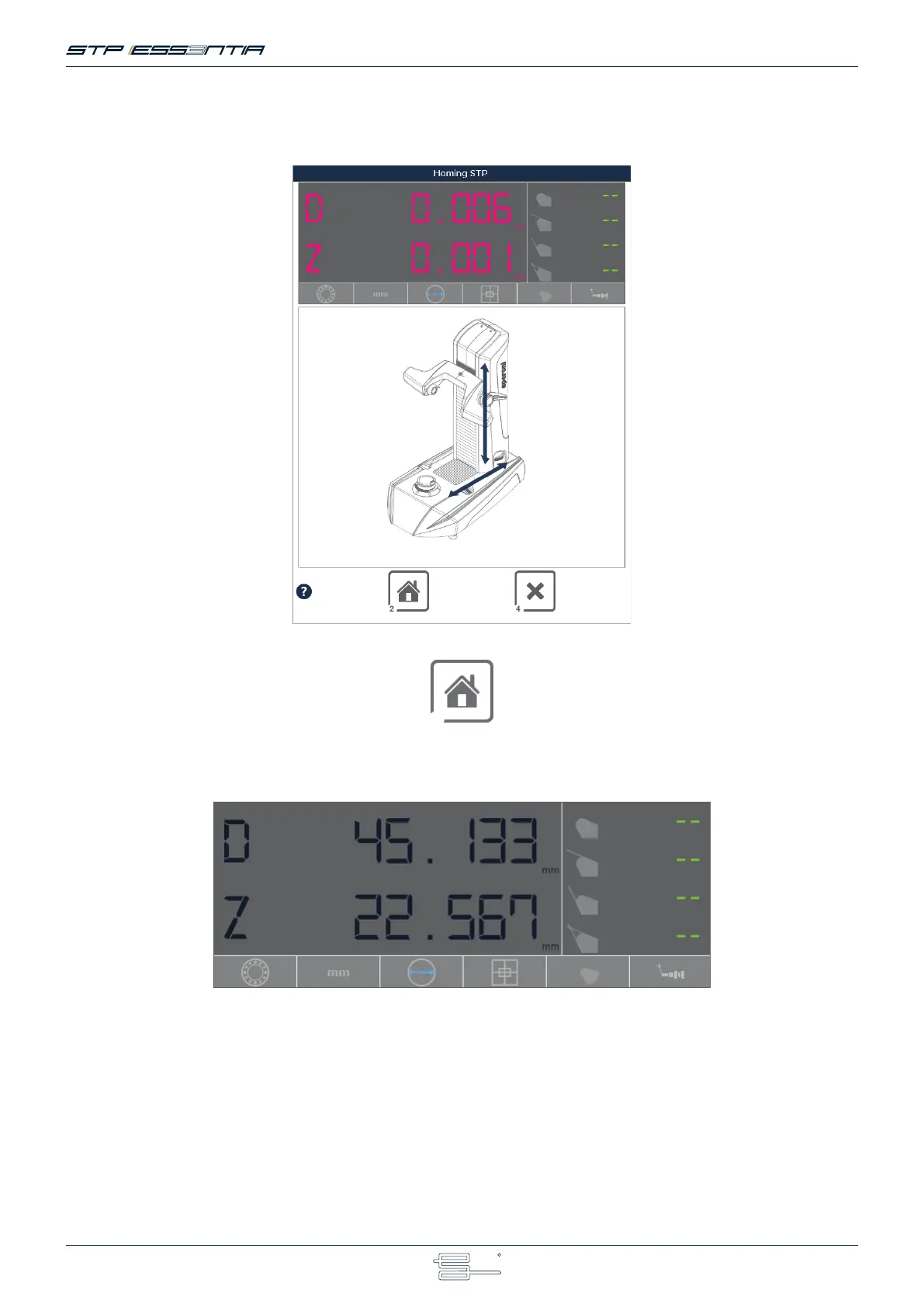
When the system starts, the homing window is displayed, allowing the user to home the machine axes.
If you have an automatic spindle
“Homing machine”Press F2
and move the axes.
For instructions on how to move the axes, please check the “Use and maintenance” manual.
If not, just move the machine axes.
If the measures color is BLUE, the machine is waiting for the movement. If MAGENTA, the machine is not homed.
When the homing is done the window will disappear automatically.



 To Next Page