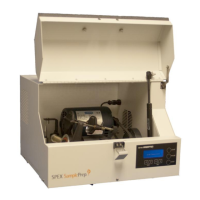
8530 Shatterbox
Page 9 of 28 SPEX SamplePrep LLC January 2010
4.4 Cam-Action Clamp (Cont’d)
If the guide is set too loose, the lever will meet little or no resistance, and the grinding
container can be rotated in place; disengage the lever and tighten the guide. If the guide is set
too tight, the lever will meet strong resistance as it approaches the vertical. We repeat, never
force the lever, but disengage it and loosen the guide.
The guide may be tightened or loosened by screwing it away from, or toward the clamp arm.
First disengage the locking pin by pushing its flange toward the spring. Then screw the guide
away from the clamp arm to tighten it, or toward the clamp to loosen it. Test the fit by closing
the clamp. When the clamp is adjusted, make sure the locking pin is engaged.
4.5 Controls
4.5.1 Main Power Switch (Diagram C, Item 48)
This is the rocker switch on the back of the cabinet, next to the electrical inlet. It controls the
flow of current to the controls and motor. When you press this switch to the on position (I) the
timer display will light up. The timer can now be programmed. Pressing this switch to the off
position (0) will switch off power to the mill.
4.5.2 Digital Timer
The timer includes a minutes:seconds numerical display, push-buttons for the start, stop and
pause functions, and buttons to change the timer setting. The display indicates the
programmed grinding time when the mill is not running: 3:00 REMAINING means the
Shatterbox is programmed for a 3-minute run. During a run the timer counts down the time
remaining in 5-second increments: 2:05, 2:00, 1:55, etc. The time is displayed in minutes and
seconds; for example, 1:30 equals one minute and thirty seconds.
Time is programmed up or down, in 5-second increments, by pressing the up/down buttons
below the timer display.
The timer display also includes three status screens:
PAUSED is displayed when the pause button has been pressed;
RUN COMPLETE is displayed for 5 seconds after the run is over;, and
ERROR: LATCH FAILURE is displayed when the lid interlock cannot engage.
NOTE: Before setting the timer and operating the 8530 Shatterbox, clamp a grinding
container firmly in place. Also, while learning how to operate the Shatterbox you may
want to use a grinding container with its puck/ring grinding elements removed.


 To Next Page