Ages 8 to
COLOR CODE
Power–blue
Input–pink
Output–green
Wire–orange
You always need a blue and a
green; pink and orange are
optional, in between.
light sensor
try this circuit
The light sensor measures how much light is shining
on it. It has two modes: “light” and “dark.” In “light”
mode, the more light the sensor receives, the higher
the signal it sends out. In “dark” mode, it’s just the
opposite – the signal increases as light decreases.
You can use a screwdriver to adjust the sensitivity.
Use a bargraph to see how it’s working!
try this circuit
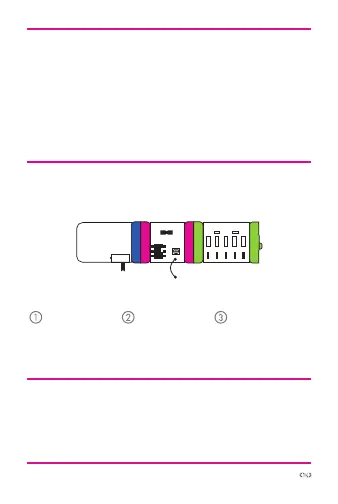
power bargraph
light
sensor
Start with a
blue power
module and
turn it on.
Set the light
sensor mode to
“light” or “dark.”
Watch your
green output
module turn on!
More info littleBits.cc/Bits/light-sensor
atiy
r



 To Next Page