Ages 8 to
COLOR CODE
Power–blue
Input–pink
Output–green
Wire–orange
You always need a blue and a
green; pink and orange are
optional, in between.
timeout
more info littleBits.cc/Bits/timeout
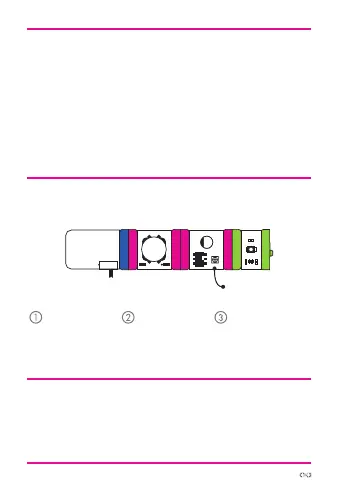
try this circuit
The timeout is a settable timer. Try it after a button and fol-
low it with a light. Press and release the button to start the
countdown. In “on-o” mode, the light will go on as soon
as you release the button and the timer will start counting
down to turn-o time. In “o-on” mode, the light will go out
when you release the button and will turn back on after
the timer reaches the allotted time. The time ranges from
approximately 1 second to 5 minutes. Try it with a motion
sensor and buzzer to create an intruder alarm!
try this circuit
power button timeout LED
Start with a
blue power
module and
turn it on.
Flip the switch
on the timeout
to “o” or “on.”
Watch your
green output
module turn on!
uci
t



 To Next Page