Ages 8 to
COLOR CODE
Power–blue
Input–pink
Output–green
Wire–orange
You always need a blue and a
green; pink and orange are
optional, in between.
KEYBOARD
MORE INFO littleBits.cc/Bits/keyboard
TRY THIS CIRCUIT
Start with a
blue power
module and
turn it on.
Press keys on
keyboard to
make sounds.
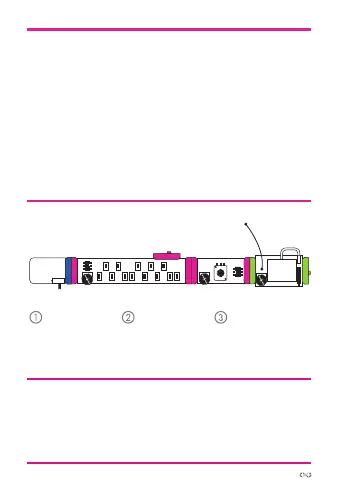
power oscillatorkeyboard
Adjust the
oscillator “pitch”
so you can
hear it.
The keyboard lets you play melodies — it features 13
buttons that make up an octave of notes. It has two
modes: “press”, which only produces output when
you press a button and “hold”, which will sustain the
last note you played. It also features an octave control
which changes the playable range. In addition to its
main output, which is great for controlling our oscillators,
it also has a “trigger out”, which you can send to the
“trigger in” of the envelope or other littleBits modules.
adjust volume
synth
speaker



 To Next Page