Ages 8 to
COLOR CODE
Power–blue
Input–pink
Output–green
Wire–orange
You always need a blue and a
green; pink and orange are
optional, in between.
OSCILLATOR
The oscillator is the main sound source in the Synth
Kit and is capable of creating audio tones that will
be used in almost every sound experiment you
create. It features a “pitch” knob to adjust its output
tone and a “tune” dial for adjusting the tuning. It
also features a mode switch that selects between
“square” and “saw” waveforms. The “square” wave-
form has a rich, powerful character, and the “saw”
waveform has a more mellow, round character.
MORE INFO littleBits.cc/Bits/oscillator
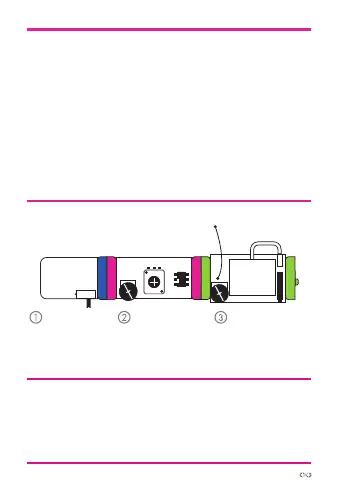
TRY THIS CIRCUIT
Start with a
blue power
module and
turn it on.
Adjust the
oscillator “pitch”
so you can
hear it.
Switch the
“waveform”
and hear the
timbre change.
power oscillator
adjust volume
synth
speaker



 To Next Page