power
bargraph
Arduino At Heart
slide
dimmer
COLOR CODE
Power–blue
Input–pink
Output–green
Wire – orange
You always need a blue and a
green; pink and orange are
optional, in between.
Ages14 to
arduino
The Arduino At Heart
TM
module allows you to easily incor-
porate computer programming into your littleBits circuits. It is
built upon the Arduino
TM
programming environment. If you’re
new to programming microcontrollers, littleBits takes care
of the electronics so you can focus on coding. All of the
resources available for the Arduino community, including
community support, can be utilized with this module. There
are three inputs and three outputs so you can program
advanced hardware interactions or communicate with soft-
ware. You’re only limited by your imagination! Get started
with 10 sample sketches at littleBits.cc/Bits/arduino-atheart.
More info littleBits.cc/Bits/arduino-atheart
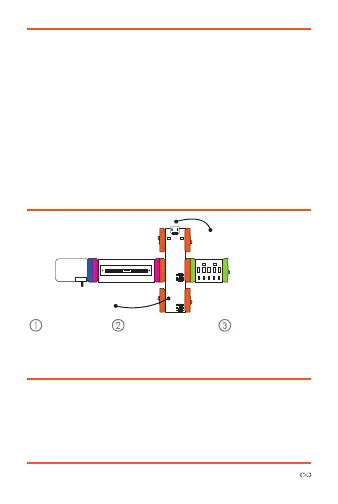
Try This circuiT
Start with a
blue power
module and
turn it on.
Connect the slide
dimmer to pin a0
and the bargraph
to pin d5.
Move the
slide dimmer
to change the
speed of fading.
cta
ct
pg
s



 To Next Page