Ages 8 to
COLOR CODE
Power–blue
Input–pink
Output–green
Wire–orange
You always need a blue and a
green; pink and orange are
optional, in between.
vibration motor
The vibration motor is very similar to the device that
makes your cell phone shake when you get a text.
With this module, you can make anything vibrate
and buzz! The vibeSnap helps you attach stu –
like paper, tin foil, or a pipecleaner – to the motor.
Start with a
blue power
module and
turn it on.
Snap any pink
input module
after it.
Watch your
vibration motor
activate!
more info littleBits.cc/Bits/vibration-motor
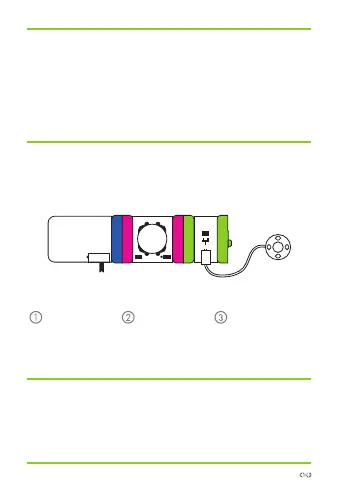
try this circuit
power
vibration
motorbutton



 To Next Page