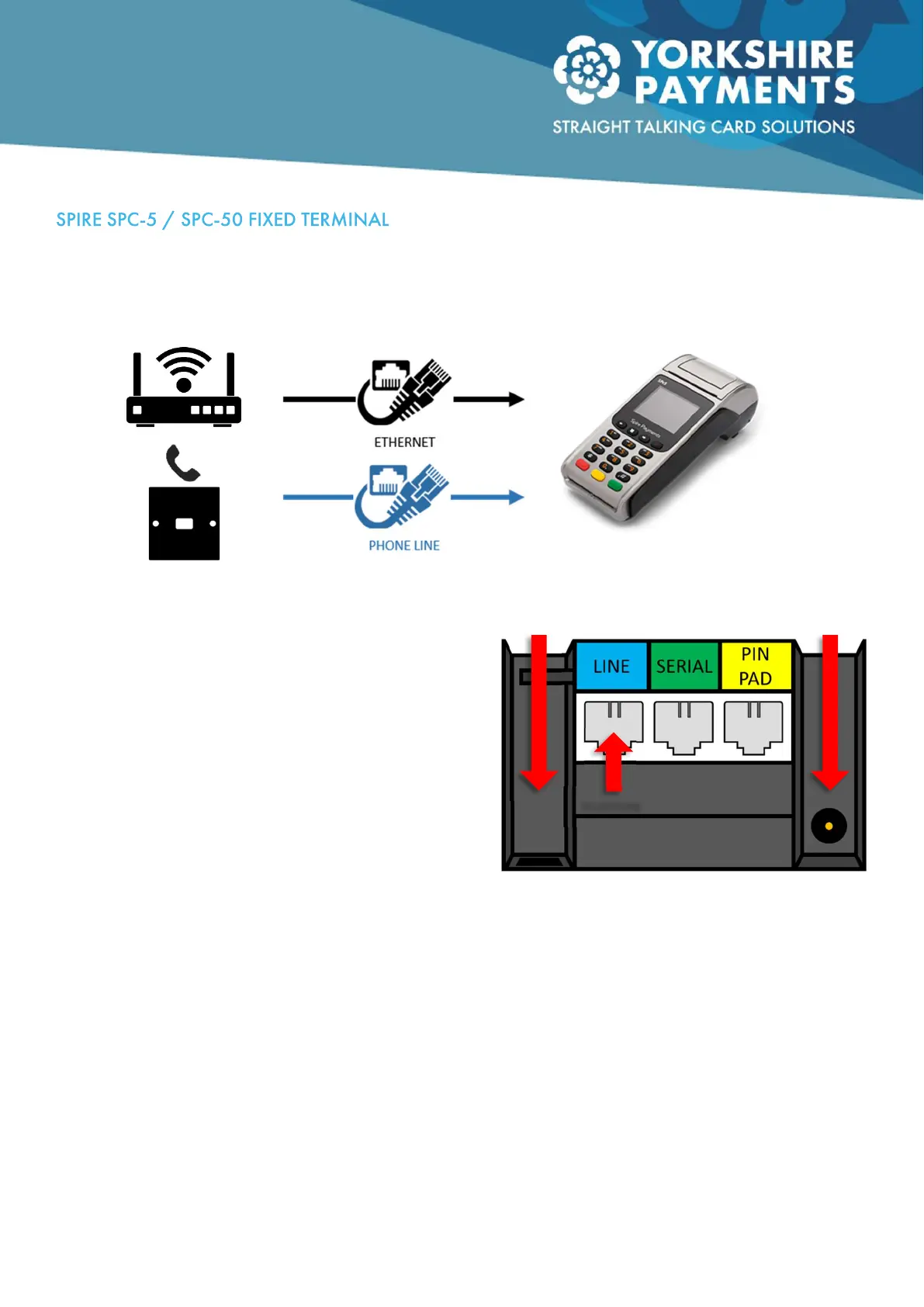
The Spire Fixed Terminal (hereafter just referred to as “the terminal”) can communicate via the internet or a
telephone line, although the latter is more designed as a back-up rather than a main comms means, this
guide will cover how to install both comms means.
Internet Connection:
Take one end of the ethernet cable and plug into a
spare socket on your internet router (usually labelled 1 –
4) and the other end plugs into the terminal’s ethernet
socket, found either under the removable panel on the
back of the terminal (SPC-5) or in between the “Line”
and “Serial” sockets marked “LAN” (SPC-50). Make sure
the two ends are all the way home and have locked /
clicked into place.
Telephone Connection
Plug the standard telephone cable end into your phone
line master socket (the BT Connector end) and the cube-like end into the blue “Line” socket on the back of
your terminal. Make sure the two ends are all the way home and have locked / clicked into place.
Note that you can use both connection types on a fixed model but the terminal will prioritise the
internet as the communication means by default.
SPC-5 Back, showing connection sockets.
INTERNET
TELEPHONE
SUPPLY
Basic Connection Diagram for Fixed Spire Terminals



 To Next Page