
 Need help?
Do you have a question about the Spirotech SPIROVENT SUPERIOR S250 and is the answer not in the manual?
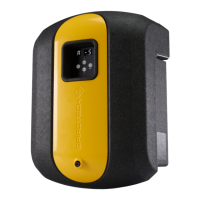
Provides an overview of the SpiroVent Superior S250 as an automatic vacuum degasser.
Details the purpose of the unit for removing dissolved and free gases from heating and cooling systems.
Instructions for reading and using the manual, including language and disclaimer information.
Lists all items included in the package with the SpiroVent Superior S250 unit.
Explains the meaning of symbols used in the manual for warnings, cautions, and notes.
Lists associated documents and their corresponding document numbers for further reference.
Directs users to the safety instructions document and emphasizes compliance with local regulations.
Defines the suitable operating environment and fluid types for the unit.
Details physical attributes like weight, noise level, and fluid connection size.
Lists key performance parameters such as system pressure, temperature, and conductivity.
Provides information on voltage, frequency, protection class, and power consumption.
Specifies the nominal degassing condition and the unit's processing capacity.
Presents the physical dimensions (width, height, depth) of the SpiroVent Superior S250.
Indicates the minimum clearance necessary around the unit for proper installation and maintenance.
Outlines the environmental and system requirements for installing the unit.
Provides a step-by-step procedure for installing the unit, from unpacking to connecting.
Guidance on using the template for accurate wall marking before drilling.
Details on drilling holes and preparing the wall surface for unit attachment.
Instructions for securely fixing the unit to the wall and checking the air vent orientation.
Procedure for creating and connecting branch lines to the main system.
Instructions for correctly attaching the inlet and outlet lines to the unit.
Steps for integrating a Building Management System (BMS) with the unit.
Instructions for safely routing the BMS cable into the unit's housing.
Details on connecting the BMS cable to the designated connector on the control panel.
Overall procedure for commissioning, including filling, deaerating, and activating.
Procedure for opening the inlet valve and performing leakage checks.
Steps to remove air from the unit, including important safety warnings about hot parts.
Procedure for opening the outlet valve.
Instructions for connecting power and initiating the unit's operation, referencing status indicators.
Detailed description of the control panel layout, including buttons, display, and indicator LEDs.
Explains the function of each button and the purpose of various indicators.
Defines the meaning of different LED colors (Green, Orange, Red) for status feedback.
Describes the unit's various operating modes: Standby, Active Degassing, and Pump Test.
Explains the functionality and activation of the Automatic Eco Mode for reduced runtime.
Details how the unit signals warnings and errors using codes and LEDs, and how to reset them.
Information on automatic and manual activation of the booster function for intensive degassing.
Parameter indicating the time taken to fill the vessel at the end of a degassing cycle.
Indicates the actual pump set-point value.
Indicates the unit's actual energy consumption.
Explains the representation and calculation of accumulated degassing time.
Describes the feature to prevent the unit from operating during weekends.
Lists the factory default settings for start time, running times, and booster functions.
Details all user-configurable settings available through the menu system.
Provides instructions for activating the unit from its standby mode.
Procedure for safely stopping the unit and disconnecting power.
Explains how to move through the unit's menu and access different settings.
Steps for modifying user-configurable parameters using the control panel.
Method for manually clearing warnings or error codes displayed by the unit.
Diagram and list identifying all the physical components of the SpiroVent Superior S250.
Illustrates the printed circuit board (PCB) of the control panel, showing connectors and components.
Provides detailed information on the BMS connector pins (NO-C-NC) and their uses.
Identifies the power cable connector and its terminals for live, neutral, and earth connections.
Presents the internal wiring schematic of the unit for electrical connections.
Explains the working mechanism of the degassing process, including vacuum and air release phases.
Clarifies the meaning of CE and UK CA markings and their implications for compliance.
Describes how to identify the unit and find its specifications on the type plate.
Details the specific information provided on the unit's identification type plate.
Visually indicates the exact position of the type plate on the unit's exterior.
Overview of the procedures required to access hydraulic parts and the control panel PCB.
Instructions for the safe removal and reattachment of the unit's outer cover.
Steps to gain access to the unit's hydraulic components via the control panel.
Procedure for reaching the Printed Circuit Board (PCB) by removing the backplate.
General guidelines for performing preventive maintenance tasks and checks.
Outlines the recommended schedule for tasks, their frequency, and relevant references.
Steps to safely shut down the unit and disconnect it from power for maintenance.
Procedure for isolating the unit by closing its inlet and outlet valves.
Instructions for safely emptying the unit of its water content, including safety precautions.
Step-by-step guide for cleaning the Y-strainer filter element.
Instructions for removing and installing a new automatic air vent component.
Guidance on effectively using the troubleshooting table to diagnose and resolve issues.
Details on error/warning codes, their classification, and methods for resetting them.
A table listing common problems, their potential causes, and recommended solutions.
Continues the problem-cause-solution table for various error codes and operational issues.
Step-by-step instructions for cleaning the unit's spray nozzle to ensure proper function.
Procedure to follow if the pump becomes jammed or blocked.
Instructions for cleaning the check valve component on the unit's outlet.
Steps for cleaning the venturi and checking it for any signs of damage.
Instructions on how to safely detach the venturi component from the unit.
Procedure for safely removing the top T-bend fitting from the unit.
Step-by-step guide for detaching and removing the pump assembly.
Instructions for safely removing the bottom T-bend fitting.
Details the warranty period and conditions under which the guarantee is valid.
General procedure for ordering and correctly replacing a spare part.
Illustrates the locations of various replaceable components within the unit.
A comprehensive list of all available spare parts with their respective article numbers.
A form designed to record inspection dates, technician details, and maintenance performed.
Official document confirming the unit's compliance with European Union directives and standards.
Official document confirming the unit's compliance with United Kingdom legislation and standards.
 General
| Brand | Spirotech |
|---|---|
| Model | SPIROVENT SUPERIOR S250 |
| Category | Water System |
| Language | English |

 To Next Page