Operating Instructions
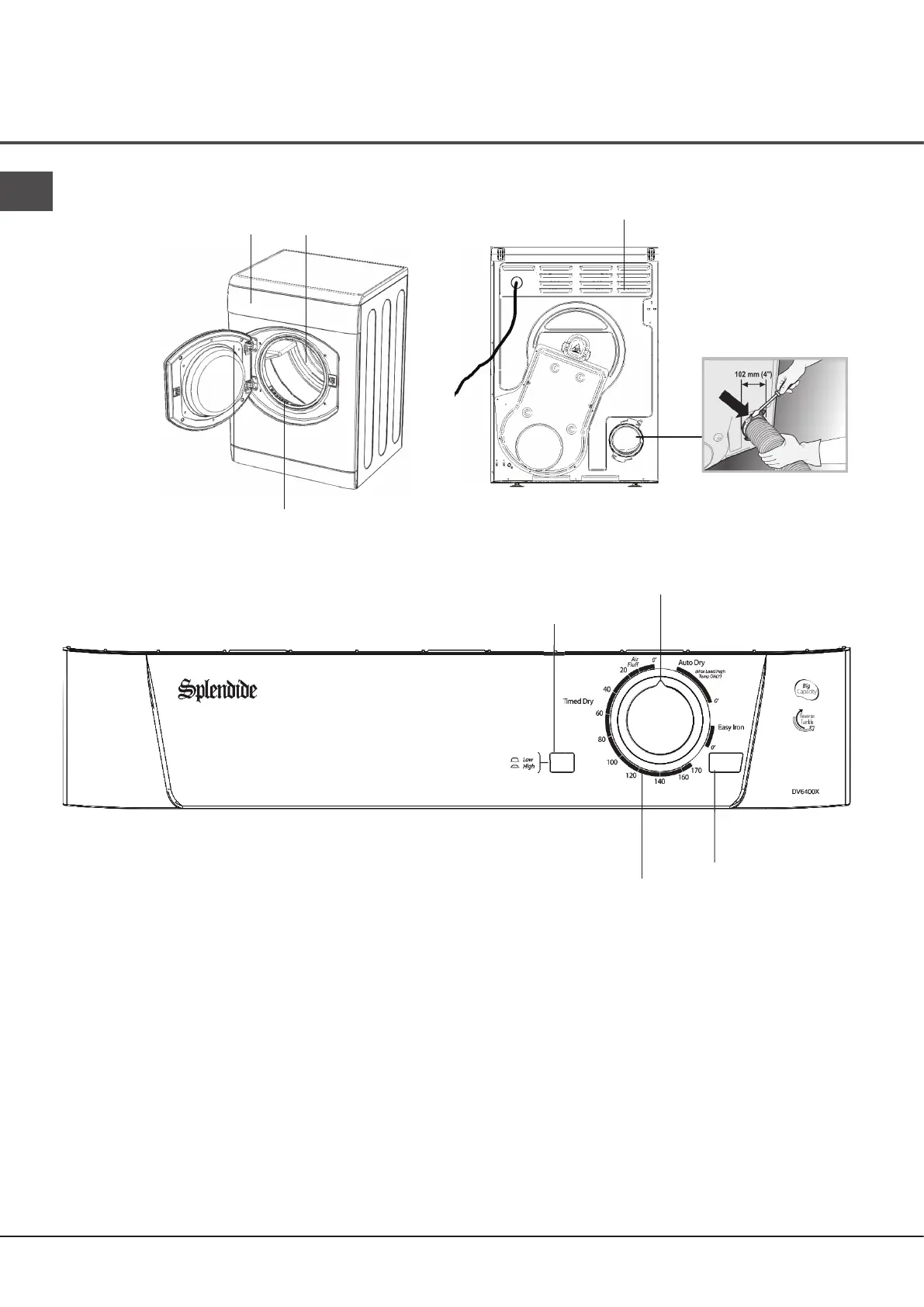
Control panel
PROGRAMS
Knob
START
Button
Indicator
The Special Programs Guide gives a guide to the
available programs.
The PROGRAMS knob sets the program: rotate
it clockwise, never counter-clockwise, until the
indicator is pointing to the program you want to select
(see Start and Programs). The programs knob will
advance to the ‘0’ position after the program ends.
The START button begins drying a selected
program (see Start and Programs).
The HEAT button selects drying temperature (see Start
and Programs).
IN: HIGH heat.
OUT: LOW heat.
The Drying Guide allows you to consult a user friendly
table of fabric types and load capacities.
HEAT
Button
The front The back
Control Panel Drum
Model & Serial
numbers
Filter
Air Intake Vent
Connection for
ventilation hose
EN
4


 To Next Page