
 Need help?
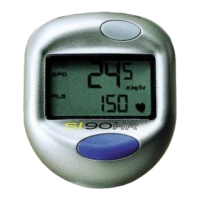
Do you have a question about the Sports Instruments SI 90HR and is the answer not in the manual?
Company contact information including address and website.
Official website for Sports Instruments.
Safety warning regarding inherent dangers of bicycle riding.
Always wear a helmet when riding.
Always use lights when riding at night.
Always watch the road and maintain focus.
Notice about potential interference from various electronic sources.
Consult physician before use if you have a pacemaker.
Rinse transmitter in warm water after each use.
Never place transmitter on metal surfaces to preserve battery life.
Never store transmitter in non-breathable containers.
Awareness of circumstances causing false heart rate signals for accuracy.
Potential interference from other heart rate monitors and clothing static.
Proper adjustment and moistening of the transmitter belt for optimal performance.
Ensuring good electrode contact for users with chest hair.
Tips for improving performance in dry and cold climates.
Specifies the battery size for the transmitter belt.
Step-by-step guide to replacing the transmitter battery.
Displays instantaneous speed in miles or kilometers per hour.
Measures distance of the current ride.
Tracks total distance for all rides.
Allows setting a starting mileage for the total odometer.
Calculates average speed for the ride.
Displays the fastest speed recorded since the last reset.
Measures true ride time, starting and stopping with wheel movement.
Displays the time of day in 12 or 24-hour format.
Enters sleep mode after 5 minutes of inactivity to save battery.
Shows current heart rate from 40-240 Beats per Minute (BPM).
Allows setting a target heart rate training zone.
Tracks time spent above, below, and in the target heart rate zone.
On-screen arrows indicate if you are above, below, or in the target zone.
Specifies the battery size for the cycle computer unit.
Guide to installing the battery in the cycle computer unit.
CAUTION: Displaced O-ring voids warranty and water resistance.
Specifies the battery size for the wireless speed transmitter.
Guide to installing the battery in the wireless speed transmitter.
CAUTION: Displaced O-ring voids warranty and water resistance.
Explanation of the ADJUST and MODE button functions.
Setting the clock to 12 or 24-hour format.
Adjusting the hour setting for the clock.
Adjusting the minute setting for the clock.
Choosing between miles or kilometers for display.
Alternating between M/hr and KM/h icons.
Using a chart to find the correct wheel size circumference.
Calculating wheel circumference manually for greater accuracy.
Inputting the determined wheel size into the computer.
Navigating to the AVS/ODO screen to set the odometer.
Inputting the desired starting mileage for the odometer.
Reviewing time spent in target heart rate zones.
Adjusting upper and lower limits for the target heart rate zone.
Clearing specific functions like ATM, DST, AVS, MXS, and HR memory.
Clearing all information from all memories in the unit.
Mounting the wireless sensor and magnet on the bike fork and wheel.
Attaching the bracket to the handlebars securely.
Inserting the computer head into the bracket until it clicks.
Caution about ensuring the computer is locked to prevent vibration loss.
Spinning the wheel to verify the speed display is working.
Checks for magnet alignment, wire breaks, and battery status.
 General
| Brand | Sports Instruments |
|---|---|
| Model | SI 90HR |
| Category | Heart Rate Monitor |
| Language | English |

 To Next Page