SPOT GEN4 QUICK START GUIDE
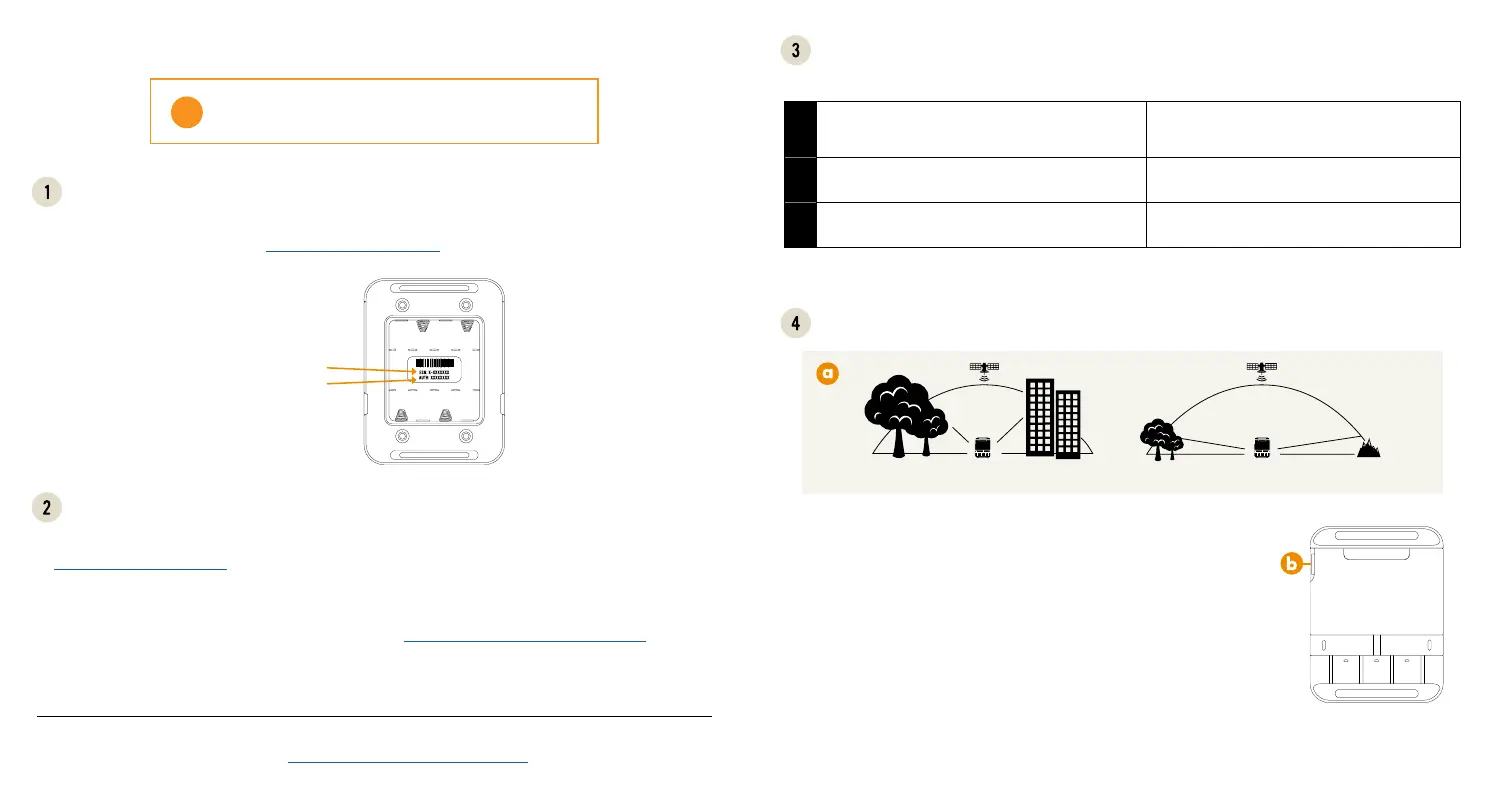
a. ese codes are located inside the battery compartment of your SPOT Gen4. You will need these codes
when setting up your account on FindMeSPOT.com/Activate.
a. Activate your new SPOT Gen4:
FindMeSPOT.com/Activate
• NEW SPOT CUSTOMERS:
Select Begin Activation.
• EXISTING SPOT CUSTOMERS:
Login using username & password.
b. Follow onscreen instructions to complete
activation.
c. Configure your profile via SPOT My Account.
d. Download the SPOT Updater:
FindMeSPOT.com/SPOTGen4Support
e. Follow onscreen instructions to update
firmware and sync.
For more information on how to use your new device, refer to the SPOT Gen4 User Guide
located at: FindMeSPOT.com/SPOTGen4UserGuide
SPOT Gen4 requires an active SPOT Service Plan.
S.O.S. WILL NOT WORK WITHOUT ACTIVATION.
!
a. Go outside where there is a clear view of the sky and no obstructions.
b. Power on.
c. Orient SPOT Gen4 so that the SPOT logo is facing up toward the sky.
d. Press and hold the button until the function light blinks green. To
ensure delivery, leave active for 20 minutes.
e. Verify receipt of your message in SPOT Mapping and by your friends
and family.
RESTRICTED
VIEW
CLEAR
VIEW
MAY NOT FUNCTION PROPERLY CORRECT
ACTIVATE & UPDATE FIRMWARE
LOCATE THE SERIAL NUMBER
(
ESN
)
AND AUTHORIZATION CODE
Device check: Insert fresh batteries* and then perform the LED/Button test.
NOTE: Steps have to be performed within a few seconds of each other, or the test will timeout. You can
start over if the test is not completed.
LED/BUTTON TEST
-
TEST BEFORE EVERY ADVENTURE
*Power options:
• 4 AAA Energizer
®
Ultimate Lithium 8x batteries (L92)
• 4 AAA Energizer
®
NiMH rechargeable batteries (NH12)
TEST YOUR SPOT GEN4
SERIAL NUMBER (ESN)
AUTHORIZATION CODE
1
With your SPOT Gen4 off, press & hold the Track
button followed by the Power button. Hold for
approximately 3 seconds.
e HELP and S.O.S. LEDs should turn green.
2
Press the S.O.S. and Help buttons at the same time. All LEDs should turn red.
3
Press the Custom Message and Check In buttons at
the same time.
All LEDs should turn green.



 To Next Page
 Loading...