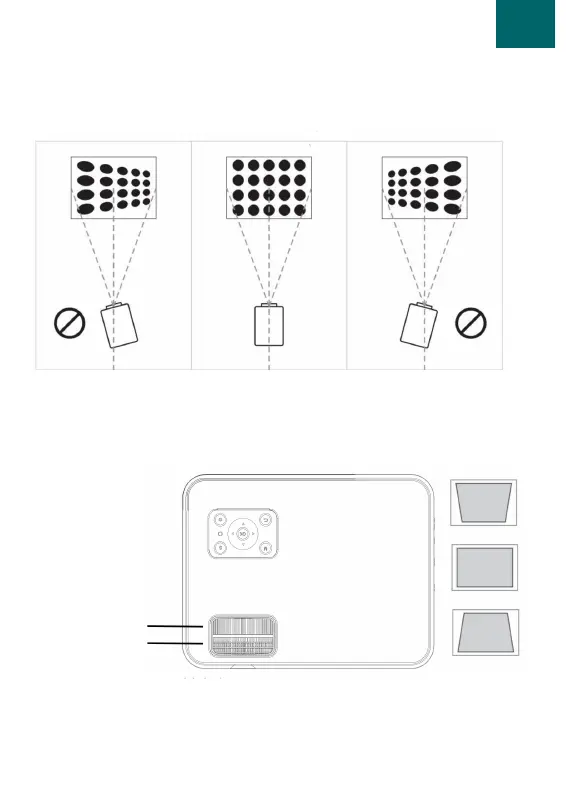
1. Place the projector vertically on a flat surface. The projector
should point straight at the screen.
2. Make sure the light falls straight onto the screen.
13.
Correction
Before use
Keystone correction
Manual focus
1. If the image is projected tilted you can solve this with the
keystone correction. Turn the keystone correction so that it
resembles the centre picture on the right.
2. If this does not work, lower the position of the projector.


 To Next Page