Need help?
Do you have a question about the Spracht ZuM Maestro DECT and is the answer not in the manual?
Steps to follow for making a warranty claim, including obtaining a return authorization number.
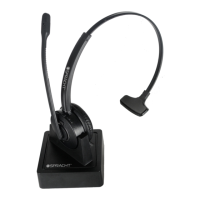
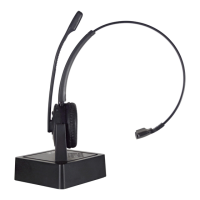
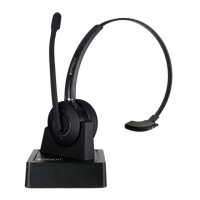
Lists and identifies components of the headset, such as microphone mute and volume controls.
Identifies front and back components of the headset base, including ports and indicators.
Instructions for connecting the headset base to various types of desk phones.
Specific steps for connecting to desk phones equipped with a dedicated headset port.
Steps for connecting to desk phones that lack a dedicated headset port.
Guidance for connecting when using a remote handset lifter accessory.
Instructions for connecting the headset base using an EHS adapter.
Details on how to connect the power adapter and power on the headset base.
Steps for docking the headset onto the base for charging and establishing a connection.
Guide to adjusting headset alignment and audio settings for optimal sound quality.
General instructions on how to make and answer calls using the headset.
Specific steps for making and answering calls on phones without a headset port.
Steps for making and answering calls on phones that have a headset port.
Procedures for making and answering calls when using a handset lifter or EHS.
Step-by-step guide on how to pair the headset with the base unit.
Instructions on how to unpair the headset from the base unit.
Information on the headset's capability to support conference calls with multiple headsets.
Process for linking additional headsets to the base for conference calls.
Detailed steps on initiating and conducting a conference call with multiple headsets.
How primary and secondary headset users can end or leave a conference call.
Details on operating conditions, humidity, and call control features like the multi-function button.
Information on audio indicators, sound quality, wireless standard (DECT), and DECT frequencies.
Technical details of the headset battery, including type, capacity, talk time, and charging.
Dimensions, wireless standard, operating environment, and desk phone connection types for the base.
Crucial safety guidelines regarding disposal, power cords, batteries, and recycling.
Compliance statement regarding FCC radiation exposure limits for transmitters.
Explains compliance with FCC Part 15 rules and potential interference issues and solutions.
Information about the Remote Handset Lifter RHL-2010 accessory.
Details on Electronic Hookswitch (EHS) cables and where to find compatibility information.


 To Next Page
 General