Page 6
To display the numerical pressure reading for prior periods, use the HISTORY button. Press once to view the
pressure reading one hour prior (-1), twice to view two hours prior (-2), etc. up to 12 hours prior.
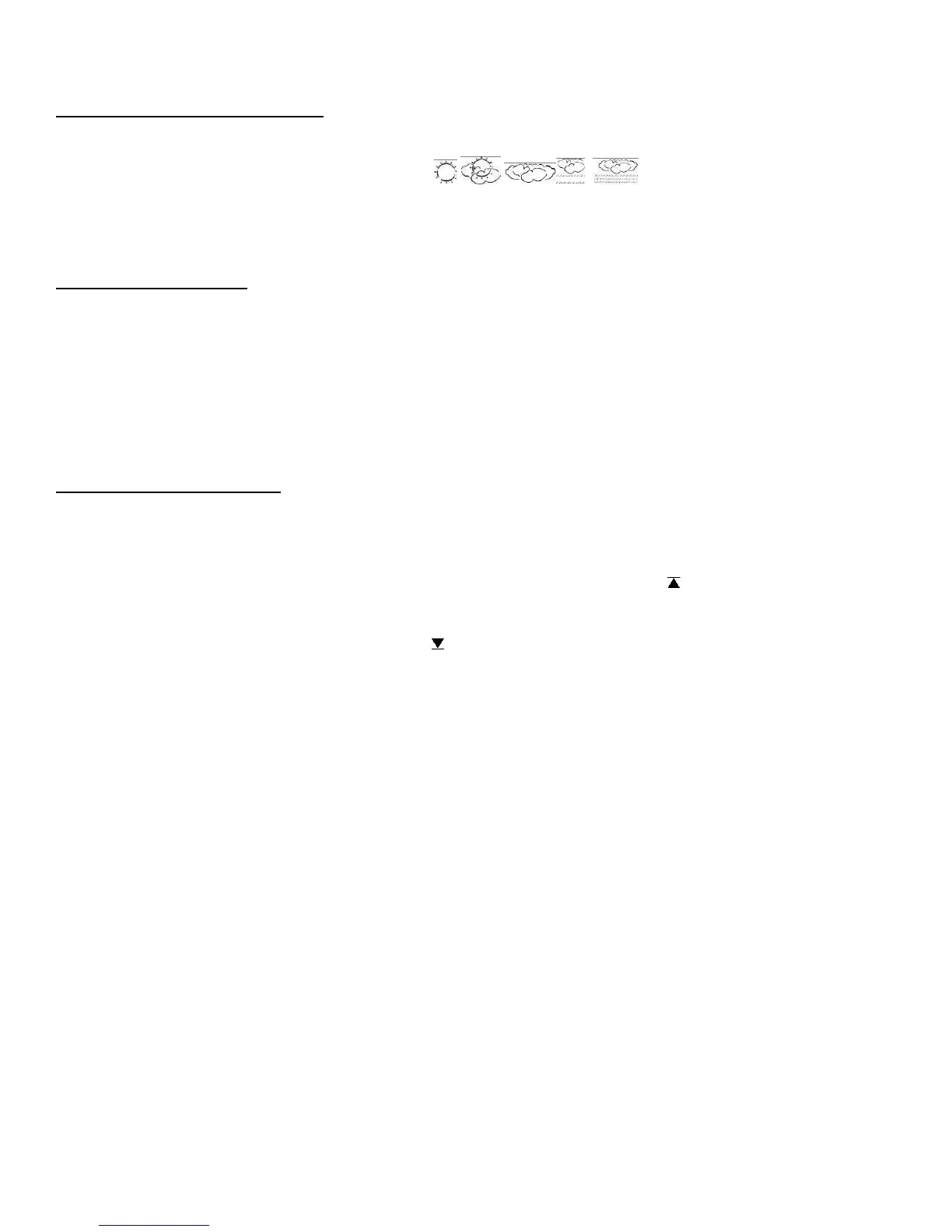
WEATHER FORECAST ICONS
Based on temperature, humidity and barometric pressure data collected over the previous 12 hours, the base unit predicts
weather conditions for the next 12 – 24 hours. One of the following icons will appear on the LCD display;
Sunny, Partly Cloudy, Cloudy, Rain, Heavy Rain.
Note: By nature, weather forecasts are often not correct. Taylor is not responsible for losses incurred due to incorrect
forecasts.
MAX / MIN MEMORY
Use the MAX/MIN button to display the highest and lowest indoor and outdoor temperature and humidity readings since
the last reset.
Press MAX/MIN once to display the highest readings recorded since last reset. MAX is shown on the display
Press MAX/MIN a second time to display the lowest readings recorded since last reset. MIN is shown on the display
Press MAX/MIN to return to the normal display
To clear and reset the max/min records, when either the MAX or MIN record is shown on the LCD display, press and
hold MAX/MIN for 3-4 seconds until the beep sounds
TEMPERATURE ALERTS
You can program your weather center to sound an alert whenever the indoor or outdoor temperature exceeds the upper or
lower pre-set level. The outdoor alert can be set for any remote channel.
Setting the Indoor Temperature Alert
Press and hold the ALERT button for 3-4 seconds. The high temperature limit icon and indoor temperature will
be flashing.
Press UP/C/F or DOWN to select the high temperature alert level
Press ALERT and the low temperature limit icon and temperature will be flashing
Press UP/C/F or DOWN to select the low temperature alert level
Press ALERT to lock in the settings. The temperature alerts are activated and both the low and high limit icons will
be showing.
Setting the Outdoor Temperature Alert
Press and hold the ALERT button for 3-4 seconds
Press CHANNEL to select the channel on which you want to set the alert (1, 2 or 3)
The high temperature limit icon and outdoor temperature for the channel you selected will be flashing
Press UP/C/F or DOWN to select the high temperature alert level
Press ALERT and the low temperature limit icon and temperature will be flashing
Press UP/C/F or DOWN to select the low temperature alert level
Press ALERT to lock in the settings. The temperature alerts are activated and both the low and high limit icons will
be showing.
Activating and De-Activating the Temperature Alerts
Press ALERT to activate or de-activate the temperature alerts. When the alert function is activated, both the high and
low limit icons will show.
When de-activated, your temperature alert settings will remain and can be re-activated at any time.


 To Next Page