Technical Support
If you have any further technical queries, please contact technical support on 01924-420029.
PLEASE DO NOT RETURN ANY ITEM WITHOUT AUTHORISATION
PLEASE LEAVE THESE INSTRUCTIONS WITH CUSTOMER
-------------------------------------------------------------------------------------------------------------------------------------
Guarantee
This product is guaranteed from date of purchase to be free from manufacturing defects for a period of 3
years if registered, with the following conditions :-
1) The product has been properly installed as per instructions.
2) Damage due to water ingress to controller, debris from water supply, hard water erosion (see (2) on
front page), vandalism or misuse are not included. Statutory rights are not affected.
Service : Springwell Microelectronics Ltd, 197 Raikes Lane, Birstall, Batley WF17 9QF
_______________________________________________________________________________
Environmental information
This product may contain substances that can be hazardous to the environment if not disposed of
properly. Electrical and electronic equipment should not be dumped with general household waste but
must be separately collected for proper treatment and recovery. The crossed-out bin symbol is a
reminder of the need to dispose of the product properly at end of life; in this way you will assist in the
recovery, recycling and re-use of many of the materials in this product and help to reduce the amount of
electrical and electronic waste ending up in landfill and to improve quality of life by preventing the release
of potentially hazardous substances into the environment. Please contact us for information on disposal
arrangements or take to a local recycling facility. Where possible please recycle your packaging.
Producer registration number WEE/DB0002ZR
_________________________________________________________________________________
Carefully designed and distributed by:
SPRINGWELL MICROELECTRONICS LTD, 197 Raikes Lane, Birstall, Batley, West Yorkshire WF17 9QF
The manufacturer reserves the right due to continuous development to change specifications without notice
Tel: 01924 420029 Fax: 0870 7062353 e-mail: sales@springwellmicro.co.uk
www.springwellmicro.co.uk
Producer registration number WEE/DB0002ZR
sf4insv1.2.odt
SPRINGWELL SMARTFLUSH SF4B FITTING INSTRUCTIONS
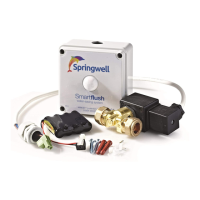
Pack contains: sensing/control unit with battery; valve, assembled cable; clips, screws, wallplugs.
How Smartflush works
Smartflush stands by until movement is detected, then waits before filling and flushing the cistern
Installation
1) Fit back box of control unit on the wall or ceiling where it can be seen.
2) Fit valve : Ensure that there is an isolating valve in the feed to the new valve (to comply with
water regulations). Isolate water supply. Cut out 30mm of pipe feeding cistern and fit valve, with coil
not below centre line of pipe. Direction is IMPORTANT; Valve is marked 'IN' for inlet. Fully open
any existing trickle cock except for very hard water, when a partly open cock avoids excessive wear.
3) Fit cable and gland to box. (If too short, replace with longer similar cable, polarity important).
4) Set internal switches 1 and 2 which adjust the cycle time, i.e. the time from detection to end of
flush. (see diagram above) and ensure switch 3 is on.
Switch settings
1 Off & 2 off = 20 minute cycle
1 On & 2 off = 30 minute cycle (default)
1 Off & 2 on = 40 minute cycle
1 On & 2 on = 60 minute cycle
The cycle time should be set taking into account
customer requirements and water regulations on the
amount of water used. A 30 minute cycle caters for
most users; 20 minutes recommended for schools
and hospitals.
3 Off = disable manual flush button
3 On = enable manual flush button
4 Off = standard sensitivity detector
4 On = low sensitivity detection
manual flush button is hidden below the dolphin's tail
on the front of the unit. (see diagram overleaf)
Switch on to reduce movement detection range and
sensitivity. Recommended if scent spray is nearby.
5) Carefully connect battery. Tap the SET button to flash the domed lens red to show that the
battery is sound and connected correctly.( see diagram over). Plug in valve connector. Press
Manual Flush button a few times to confirm operation of the valve, sharp click with red flash for
"on", dull click with no flash for "off". Leave valve closed. N.B. As supplied, the valve might be
latched open or closed, this is normal.
6) Turn on water supply with isolating valve fully open. Smartflush is factory pre-set to activate a
maintenance flush at 12 hour intervals if no-one is seen. Go to step 7 if this setting is okay.
Switch off switch 3. Hold down internal SET button, tap the external hidden Manual Flush button,
then release SET button. The red light flashes every 2 seconds; the number of flashes shows the
current maintenance flush setting. Each press of the SET button changes to the next setting, as
follows :-
1 flash = No maintenance flush
2 flashes = 8 hour interval
3 flashes = 12 hour interval, (factory setting)
4 flashes = 24 hour interval
When the desired setting is shown, press Manual Flush button to save the setting.
Switch on switch 3. This process may be repeated at any time without affecting the fill time.


 To Next Page
 Need help?
 General