utility.com
Contact us or visit our web site to learn more.
404.816.0300 • email: info@utility.com
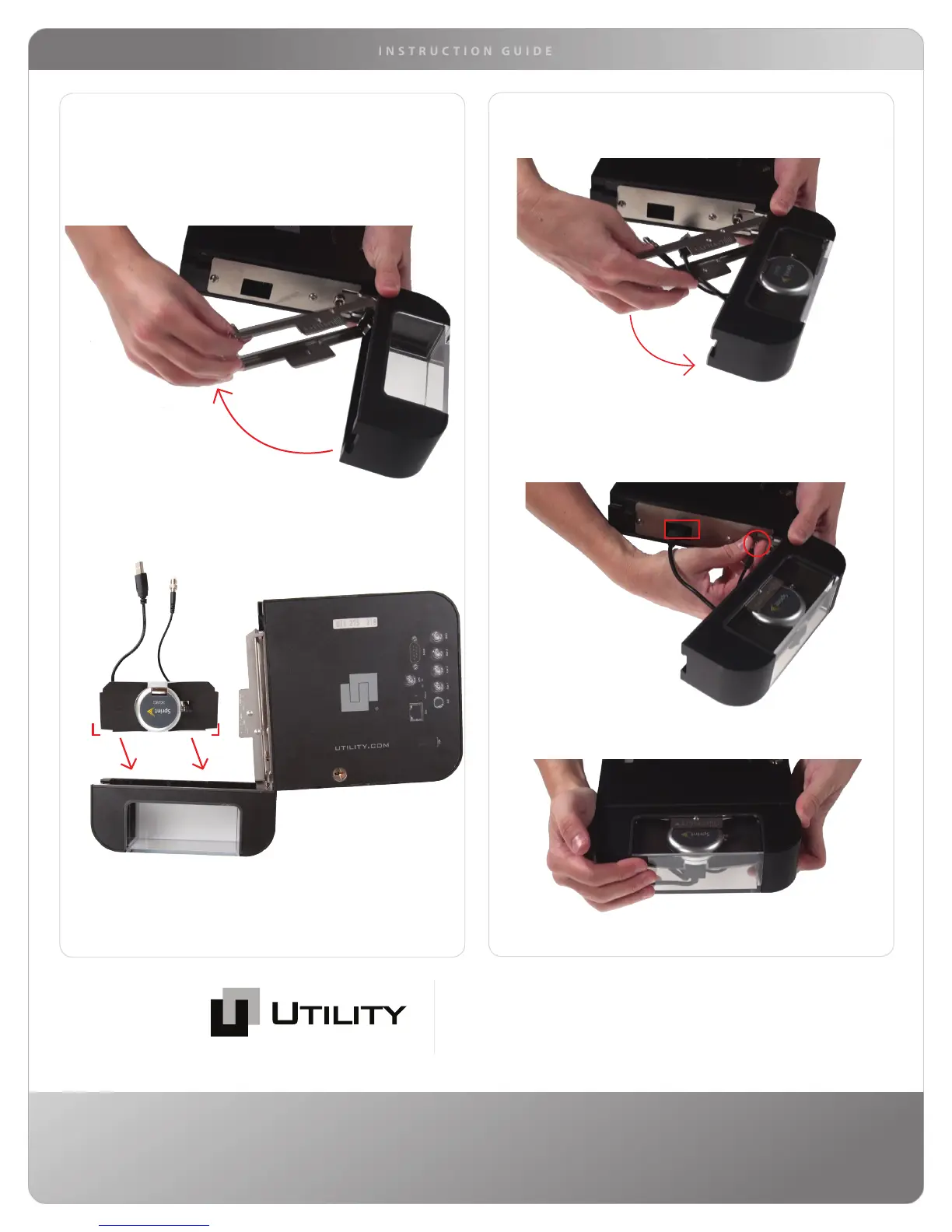
• Open the Rocket Lid and slide out the Hinged Lid Support.
• Lay the opened Rocket down with the serial number and
ports on the label facing up, as shown below.
• Position the polycarbonate insert with attached modem into
the lid as shown above with cornered foam edges entering
first.
• Close the Hinged Lid Support with both cables extending
through the center.
• Plug the USB extension cord into the Rocket
• Plug the direct connect cable into the Rocket and hand
tighten, as shown below.
USB
direct connect
• Tuck in both cables and close the Rocket Lid.
Installing the Sprint Modem
Continued


 To Previous Page
 Loading...