6.4.2 Setup Mode On:
After tap on continue button user navigate to Setup Mode on Screen which provide a message to
user how to identify that the setup mode is enable or not by checking to and fro motion of blue light.
6.4.3 TREBL Connection:
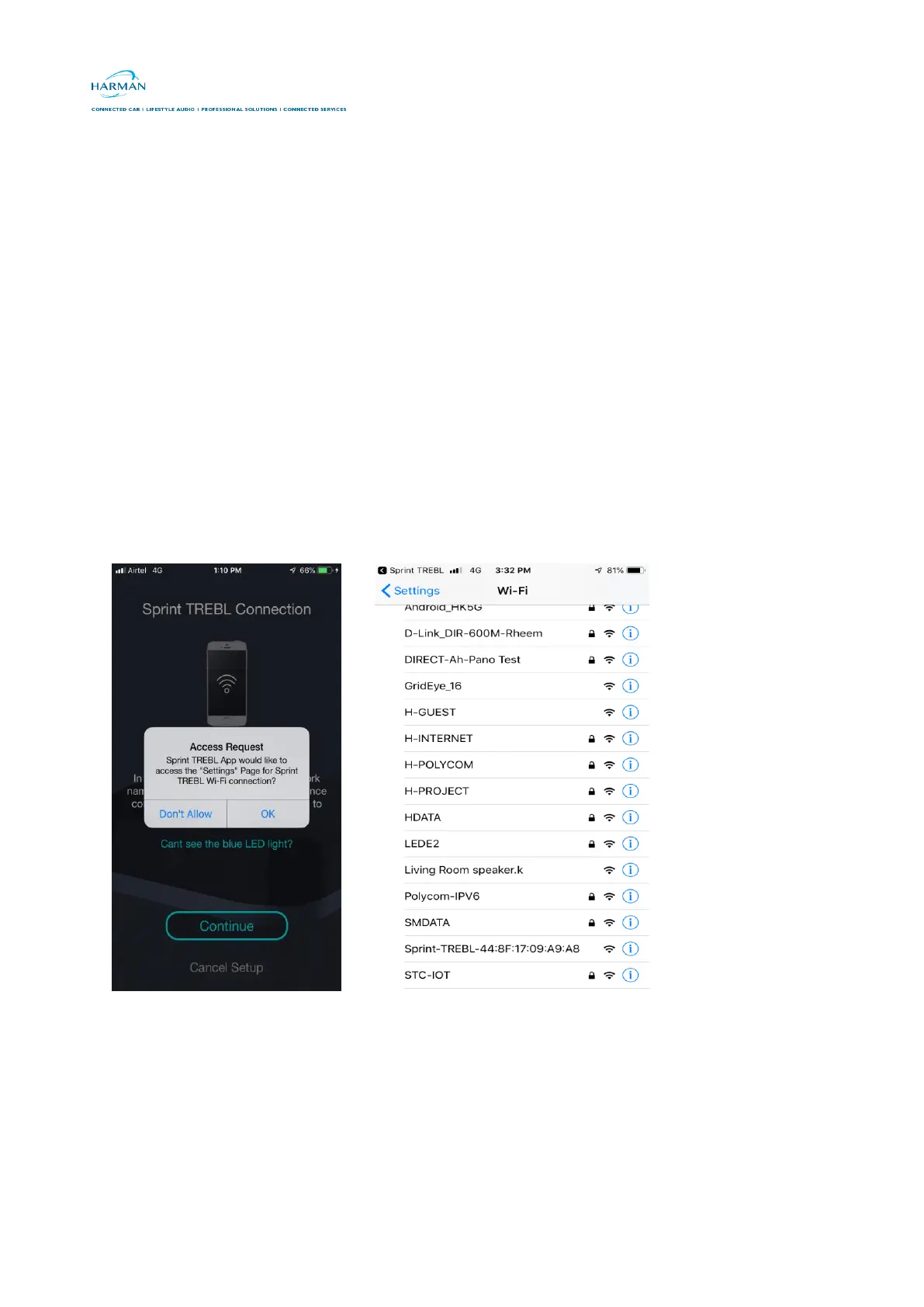
After tap on continue button of Setup Mode On Screen user navigate to TREBL Connection Screen
which provide the SSID (HK TREBL-XXX) information of Sprint TREBL to user so user can identify
Sprint TREBL in Wi-Fi List.
6.5 AP Connection:
After connection flow user needs to connect Sprint TREBL Wi-Fi from the Wi-Fi list and navigate back
in App
6.6 Device connection Status:
After connecting Sprint TREBL AP mode while user navigate back to App Device connection status
screens provides connection status (connected / Failure)
1. Successfully Connected 2 . Connection Failure



 To Next Page