
 Need help?
Do you have a question about the Sprout MAGNETIC WIRELESS POWERBANK and is the answer not in the manual?
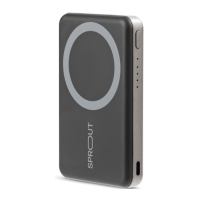
Identifies the magnetic charging pad, power button, LED indicators, and USB-C port.
Instructions for charging the powerbank using its USB-C port.
Explains automatic power on/off and manual power button control.
Details how to check the powerbank's remaining battery using LED lights.
Guides on aligning devices for magnetic wireless charging and LED indicators.
Instructions for charging devices using the powerbank's USB-C port.
Solutions for when the powerbank fails to power on.
Addresses problems with device charging wirelessly or slow charging speeds.
Lists critical warnings regarding product usage, heat, liquids, and modifications.
 General
| Brand | Sprout |
|---|---|
| Model | MAGNETIC WIRELESS POWERBANK |
| Category | Accessories |
| Language | English |

 To Next Page