© 2021 SPT Labtech Ltd
For the latest version of S3 downloaded, refer to www.apricotdesigns.net.
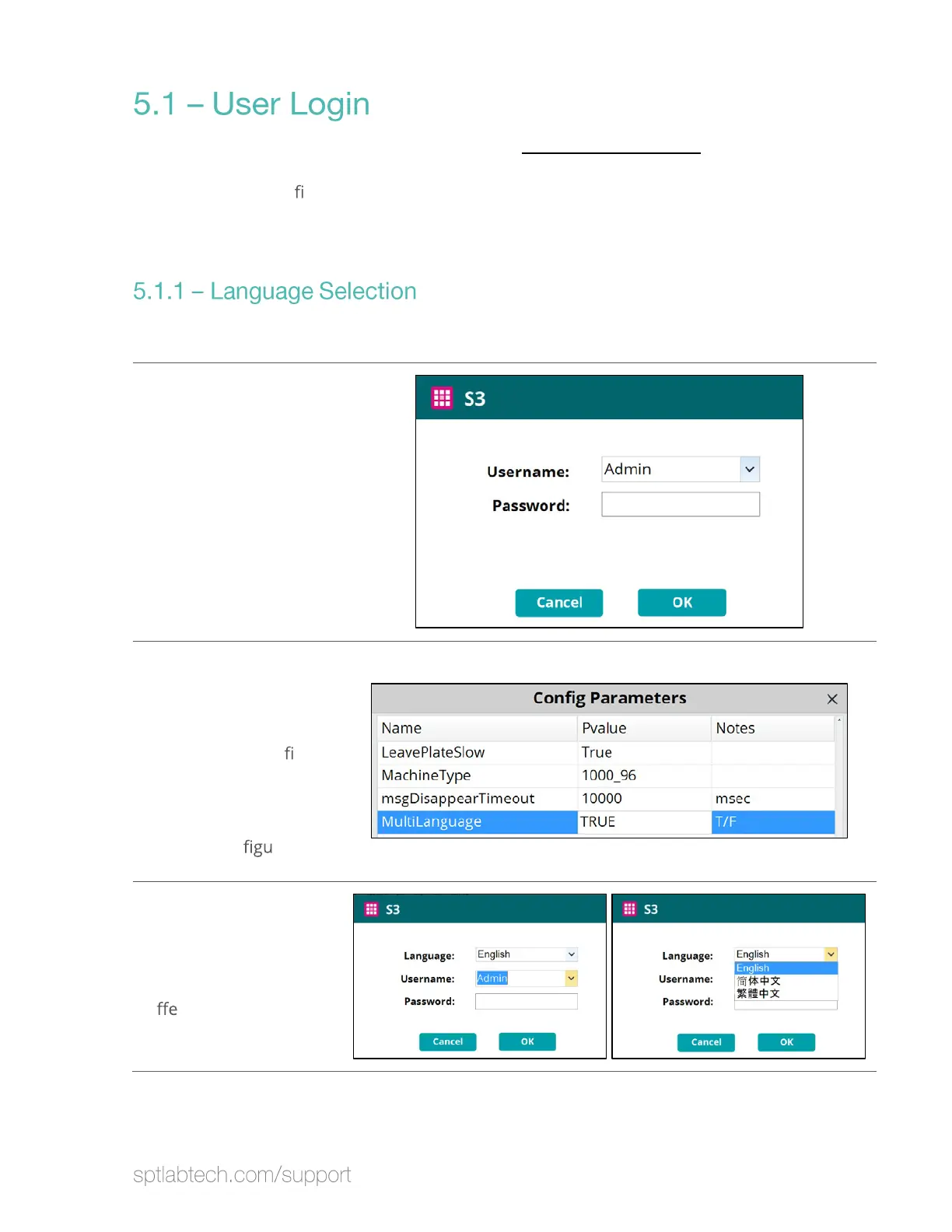
Double click the S3 software icon after it has been downloaded. The login screen will
display. If this is the
rst time using the software, a SPT Labtech professional will log
in and set up a Username and Password for you. If you have any questions, please
contact SPT Labtech for assistance.
The default language is English. Chinese is also available.
Unless changes are
made in the next step,
the login screen looks
like this:
Changing between
English and Chinese
To change the language
to Chinese (Simpli
ed
or Traditional), set
MultiLanguage to
“True” in
Settings/Con
ration.
When MultiLanguage is
set to True, the login
screen will display an
option to select a
di
rent language:


 To Next Page
 Loading...