
 Need help?
Do you have a question about the SPT Labtech Apricot S3 and is the answer not in the manual?
Discusses external causes for frequency interference and data loss.
Details the necessary software and hardware specifications for the instrument.
Detailed steps for removing the instrument from its packaging.
Instructions for checking the instrument for any visible damage after unboxing.
Guidance on safely lifting and relocating the instrument, emphasizing weight.
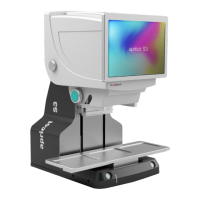
High-level overview of the instrument's capabilities and configuration options.
Lists the various laboratory applications supported by the instrument.
Explains the importance of the pipettor, head, and tips working together for accuracy.
Details the compatibility matrix for pipetting cores, heads, and tips.
Describes the patented technology for easy and quick loading of disposable tips.
Explains how to access and change the interchangeable pipetting core.
Details how to customize operation menus based on plate type, head, and channel.
Outlines essential safety guidelines for operating the S3 Pipettor to prevent injury.
Guides through the process of logging into the S3 software with different user accounts.
Step-by-step instructions for connecting, initializing, and configuring the instrument for protocols.
Provides an overview of the instrument's main menu interfaces.
Details the menu for setting aspirate parameters like volume, speed, and depth.
Menu for configuring dispense parameters, including depth, speed, and touch.
Function to empty tips or perform blow-out operations.
Menu for configuring mixing parameters such as volume, cycles, and depth.
Function to transfer liquids between different stations or plates.
Guides on performing serial dilutions, including column and interval settings.
Function to fill plates by aspirating from a source and dispensing to a target.
Function to aspirate from multiple sources and dispense to one target.
Function for washing tips, with or without using a pump.
Allows pausing operations with options for comments or tip changes.
Adds notes to protocol lines that are ignored during execution.
Adjusts axis speed, dwell time, and overshoot for protocol lines.
Enables running protocols in a loop with specified cycle counts.
Prompts user to confirm head volume after initialization.
Reduces Z-axis speed for tip exit, useful for cell culture.
Enables login and disables text file editing for regulatory compliance.
Allows editing protocol lines directly in a text file.
Enables selection of liquid type and verification.
Refers to the procedure for accessing and changing the pipetting core.
Allows editing of system default configuration parameters.
Guidelines for defining plates in the software for accurate pipetting.
Techniques to enhance pipetting accuracy, including overshoot and pre-air gap.
Provides a solution for software startup issues by running as administrator.
Addresses issues related to COM port, protocol, or plate position changes due to permissions.
 General
| Type | Automated Liquid Handler |
|---|---|
| Volume Range | 0.5 µL to 1000 µL |
| Power Requirements | 100-240 VAC, 50/60 Hz |
| Format | 96- and 384-well microplates |
| Pipetting Channels | 8 |
| Liquid Handling Technology | Positive displacement or air displacement |
| Throughput | High throughput |
| Compatibility | Compatible with a wide range of labware |
| Software | Intuitive control software |

 To Next Page