© 2021 SPT Labtech Ltd
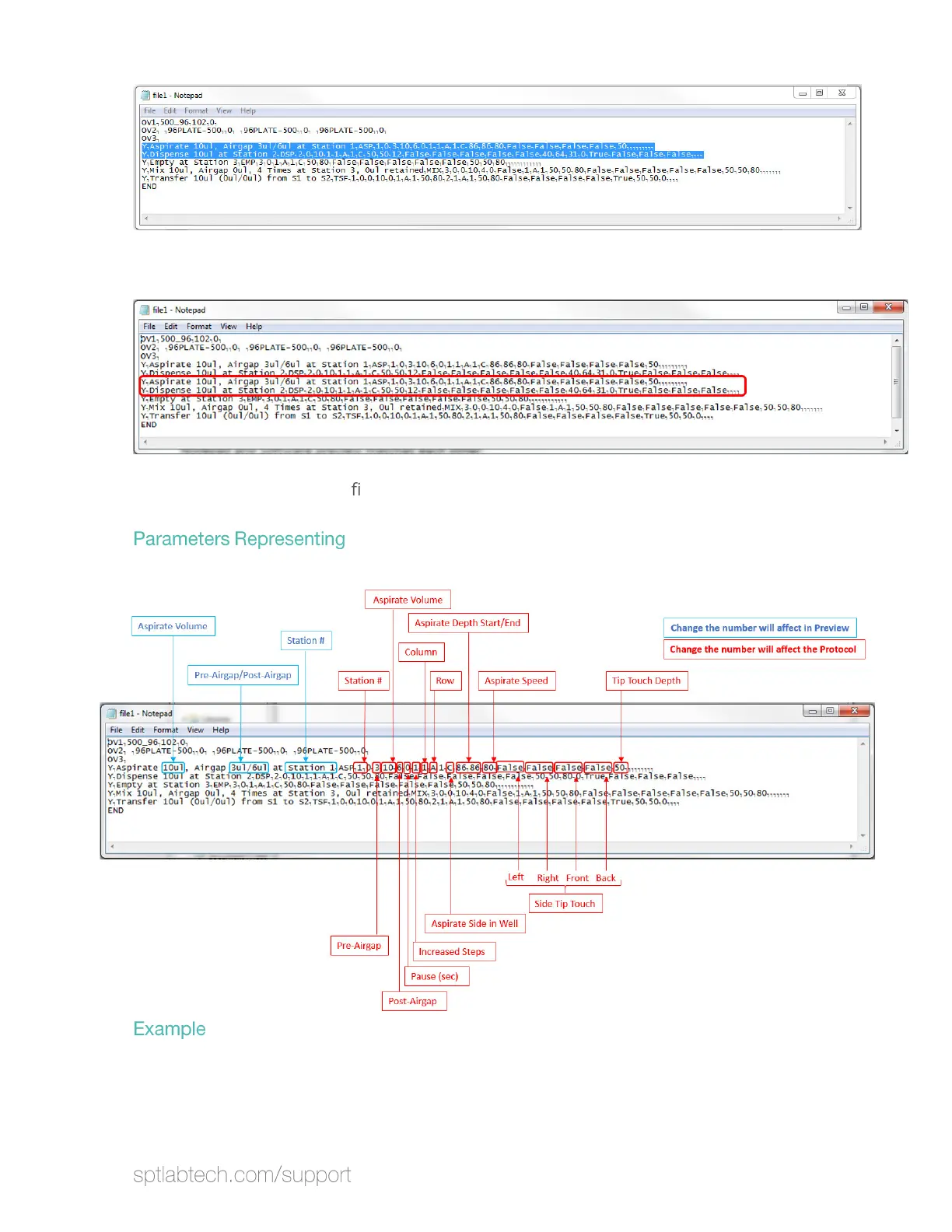
Then press enter to create another line right under Dispense, and paste.
Save the change. Open the
le from software, and the new changes will be shown.
Here’s a brief view of what are the number representing for aspirate.
To edit the volume, side, aspirate speed and station number, use must edit all
related parameters. Here’s an example to edit the aspirate volume from 10uL to
20uL and station number from 1 to 2. Notice that user has to edit twice (one for
preview and one for software running) to run the software properly.


 To Next Page