© 2021 SPT Labtech Ltd
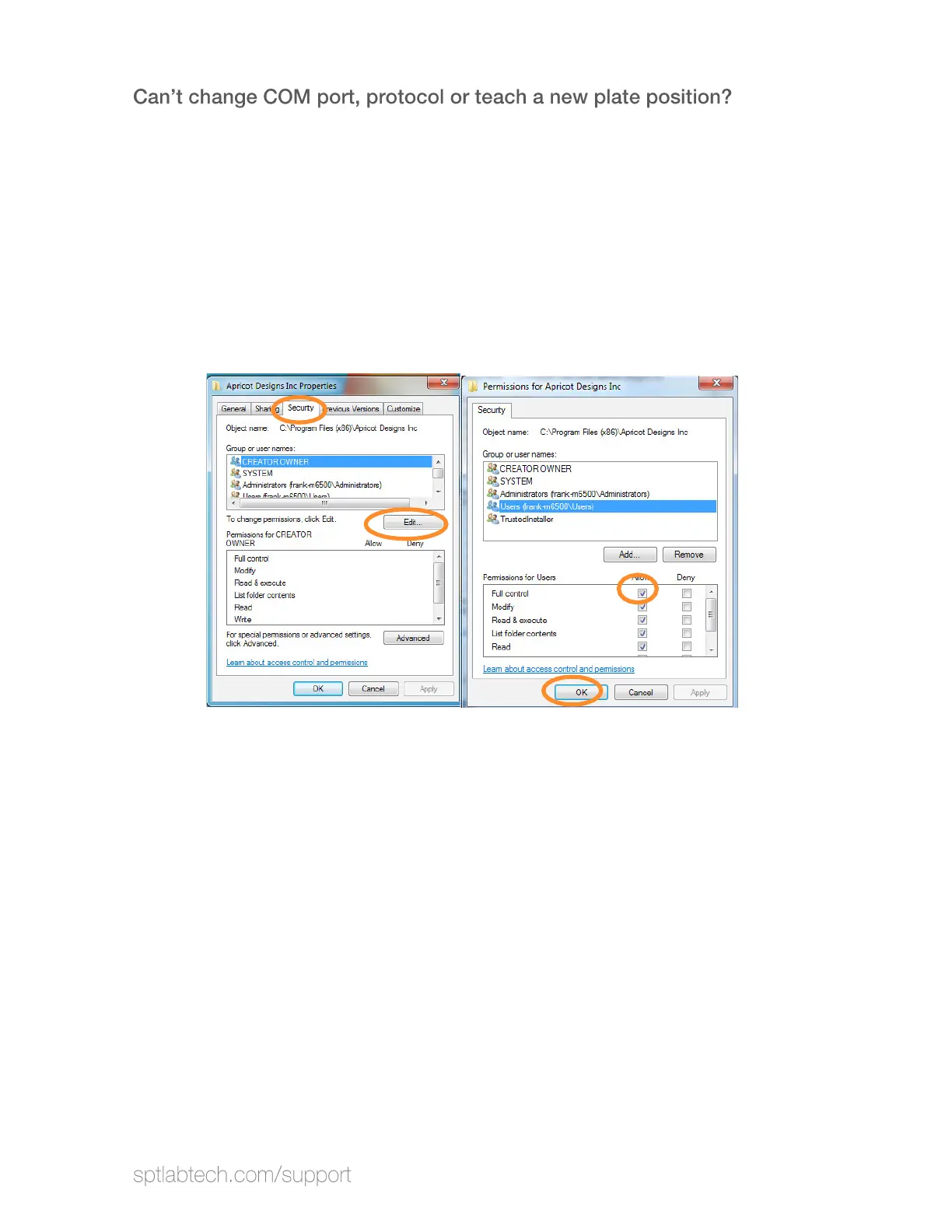
This is a problem with permissions.
Solution 1: Grant security permission for user in Windows 7 and higher Operating
Systems.
1.
Locate software folder: Usually under C:\Program Files\ SPT Labtech.
2. Right Click the Folder and select Properties.
3.
Select Security: Then click Edit
4. Check Allow full control for the Users.
5.
Click Apply then OK
to close the window and it is completed.
Solution 2: Install "AccessDatabaseEngine_x64.ex
e" in the computer.
You will also be required to change the COM Port, or IP Address.


 To Next Page