© 2021 SPT Labtech Ltd
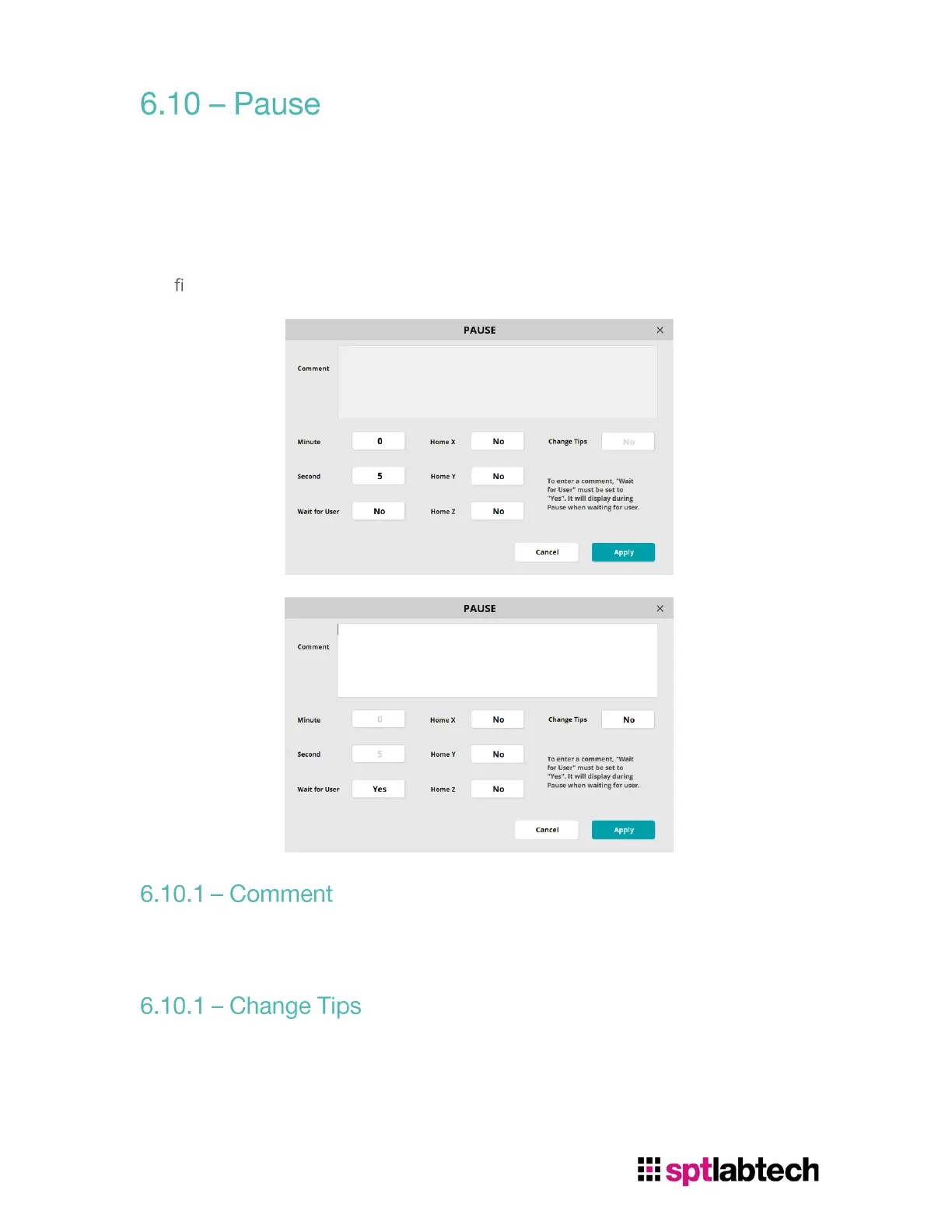
To pause between functions, select Pause from Function Main Menu. User can set
instrument to Home X, Y, and Z during Pause. There are two options to pause:
1. Set pause period by using “Minute” and “Second”
2. Enable “Wait for User”.
3.
The
rst method will disable Comment and Change Tip features. The second method
will disable Minute and Second features.
Comment will be shown if user select “Yes” to Wait for User. This can be used to
remind user their action during Pause.
When enable Change Tips Function, instrument will open clamp during Pause for
user to switch tips.


 To Next Page