© 2021 SPT Labtech Ltd
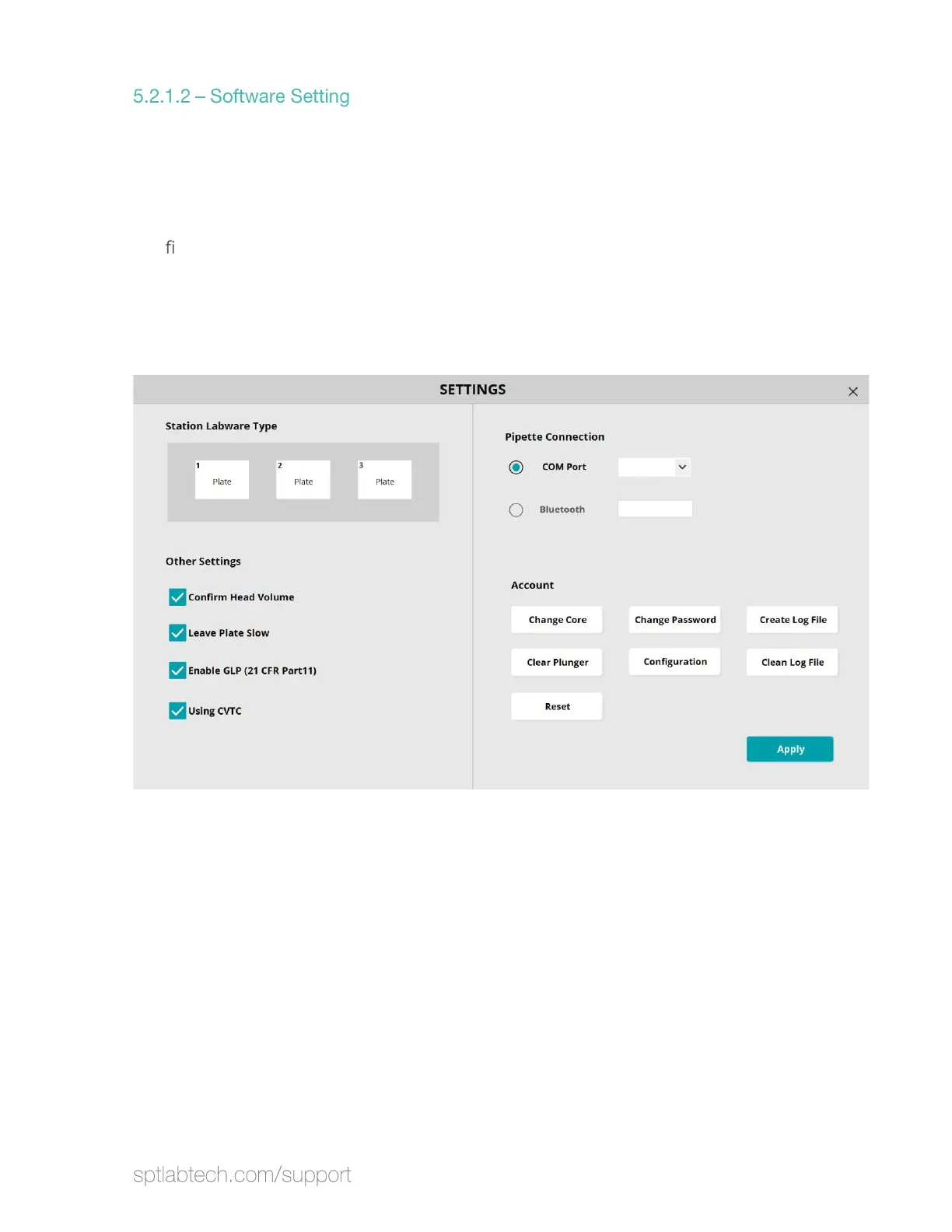
Open Settings in the software. Select “COM Port” for wired connection. Select
“Bluetooth” for wireless connection. This Pipette Connection has to match the
Hardware Setting.
For Wire Connection, check the COM Port setting in the computer device manager.
Con
rm the port number in the drop down matches the port number in the device
manager.
For Bluetooth connection, input the Bluetooth name, which can be found in the back
of the inst
rument cover.
After select the Pipette Connection, click “Apply” to return to the main menu and
select “Initialize” to connect the tablet to the instrument.


 To Next Page