OPERATING YOUR BEVERAGE COOLER
• The appliance should be placed where the ambient temperature is between 50°F to 83°F. If the
ambient temperature is above or below this range, the performance of the unit may be affected.
For example, placing your unit in extreme cold or hot conditions may cause interior temperatures
to fluctuate.
• Connect power cord to a properly grounded outlet.
• This appliance is equipped with Memory IC – should there be a power interruption, unit will auto
recover at last setting.
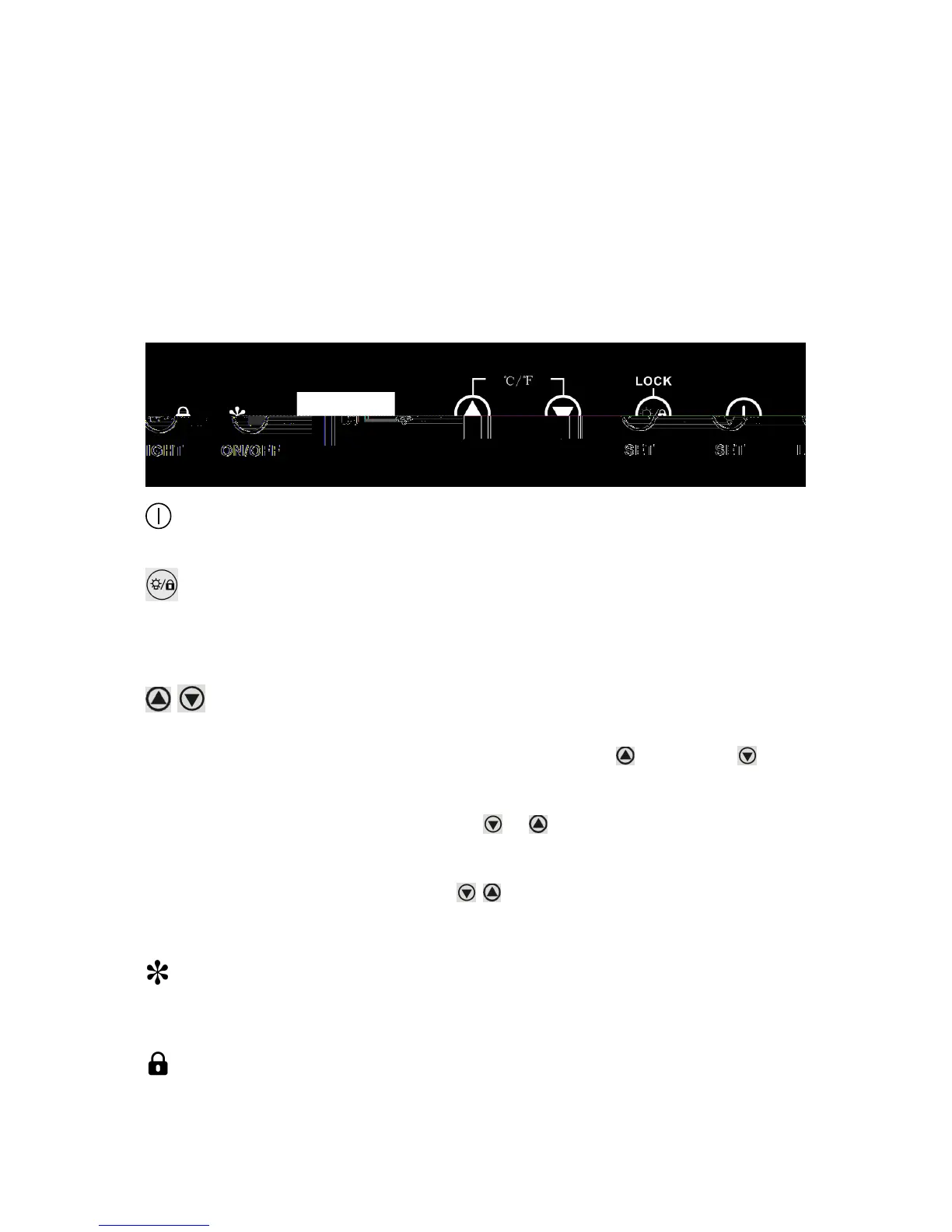
Control Panel:
ON/OFF Power
To turn the appliance on or off, press and hold the ON/OFF button for 3 seconds.
LIGHT/LOCK
• Press to turn the interior light ON or OFF. Light will automatically turn off after 10 minutes. For best
wine storage, keep the light off except when viewing.
•
Press and hold for 3 seconds to lock or unlock the control panel.
Setting the temperature Control
• Adjustable temperature: 23°F to 41°F( -5°C to 5°C)
• Set the desired temperature by pressing the corresponding buttons, to increase or to
decrease. Each press is in 1-degree increment. Once released, set temperature will flash for
approximately 5 seconds then revert back to display the internal temperature.
•
To view your set temperature, press either the or button once and LED display will flash
set temperature for 5 seconds.
•
The appliance has the capability to display temperature in either Celsius or Fahrenheit. To change
the temperature scale, press and hold both buttons simultaneously for approx. 3 seconds.
Note: The temperature of Beer Froster inside may vary slightly depending on whether or not the
interior bulb is ON or OFF and where the bottles are located (upper/middle or lower section).
RUN
When unit’s compressor is running, this indicator light will illuminate to signify that cooling mode is
currently in operation.
LOCK
If illuminated, indicates the control panel is locked.


 To Next Page