3
MAKING ICE CREAM & FROZEN DESSERTS
CONNECT TO POWER SOURCE
Check voltage to be sure that the voltage indicated on the rating label agrees with your home
voltage, then plug unit into power outlet.
OPERATION
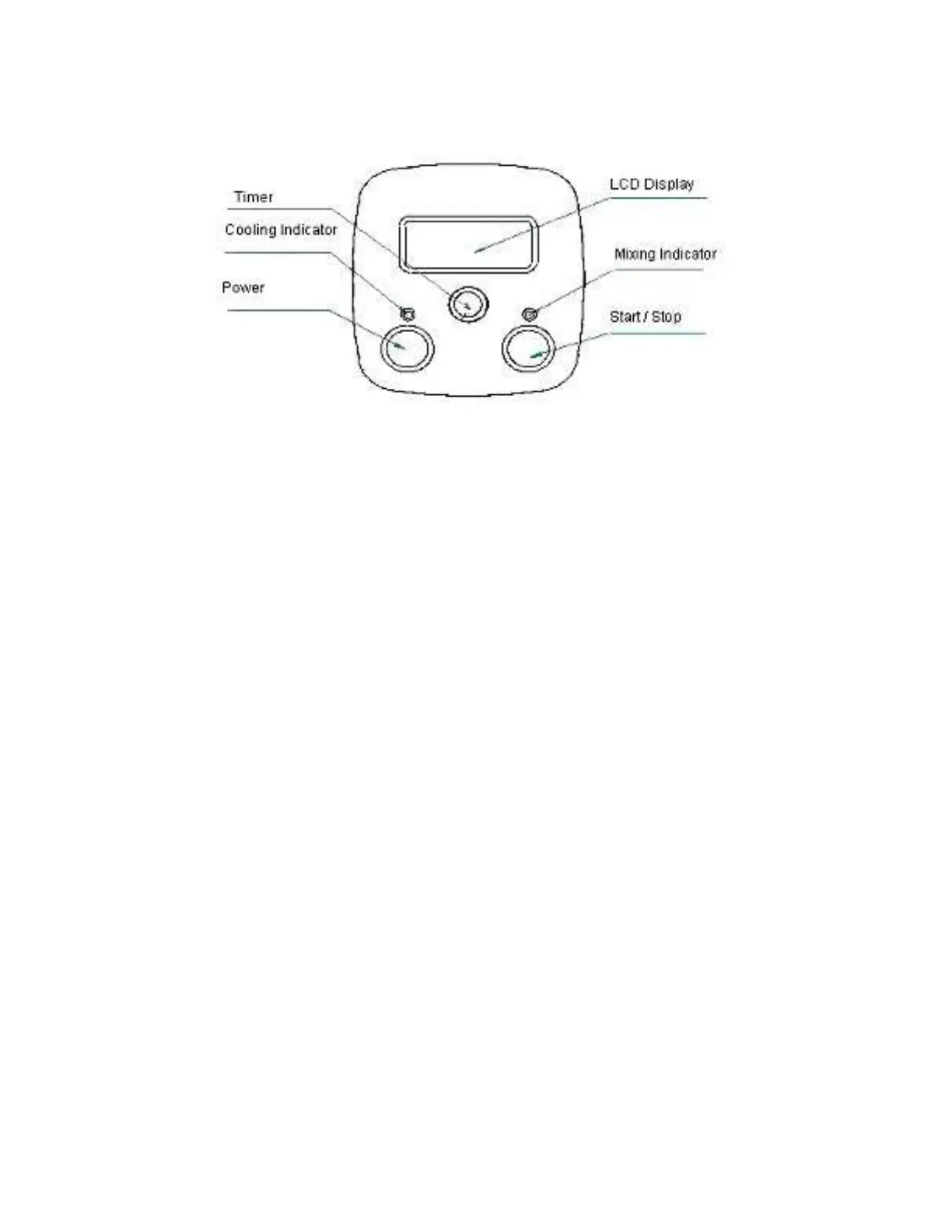
[POWER] Button: After connecting with power supply, press the [POWER] button and the LCD
screen displays “60:00” (default operating time of 60 minutes); unit is now in standby mode.
[TIMER] Button: Unit can be set to operate between 10 to 60 minutes, with 10-minute intervals.
To change the operating time, press the [TIMER] button repeatedly. If [TIMER] button is not
pressed, the default time will be 60 minutes.
[START/STOP] Button: After the operating time is set, press the [START/STOP] button to
begin the ice cream making process. Unit begins mixing and cooling immediately, both GREEN
and RED indicators light up. When the countdown ends with LCD displaying “00:00”, the
operation will stop automatically and unit will beep 10 times
If the ice cream is not immediately removed or if machine is not turned off after 10 minutes, the
unit will automatically enter “Extended Cooling” mode to prevent ice cream from melting.
Extended Cooling Mode: The machine operates in cooling only function (no mixing) for 10
minutes, every other 10 minutes, up to 1 hour. After the hour, unit returns to standby mode.
During extended cooling mode, LCD screen will flash “00:00” with Cooling indicator illuminated.
NOTE: Blender Motor can be removed at anytime during operation to stop the mixing process
and allow unit to continue in cooling only to harden the consistency. Be sure hand is dry when
removing motor to prevent water from entering the air vents.


 To Next Page