02
SPT GPS - GETTING STARTED
CHARGE
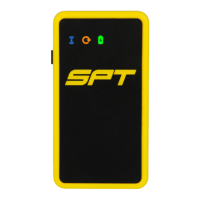
THE GPS DEVICE
USE
THE GPS DEVICE
1 Turn on the GPS by holding the multi function button for 1-2 seconds.
• The GPS is on when both the GNSS and connectivity lights are flashing together and the
battery light flashes on its own (Fig 2).
2 Record a performance by securing the GPS in the SPT chest piece during physical activity.*
• The GPS is recording data when the GNSS light turns green, the battery light turns green
and the connectivity light flashes (Fig 3).
• The GPS is low on data space when the GNSS light starts to flash (Fig 4).
• The GPS has low battery when the battery light turns red (Fig 5).
3 Oncenished,switchtheGPSoffbyholdingthemultifunctionbuttonforfourseconds.
• The GPS is off once all the lights are off.
GPS is on GPS is low on data GPS is recording
*TheGPSwillnotbeabletogetasignalindoorsornexttotallbuildings.
The GPS should not be full of data before use.
1 ConnecttheGPStothecomputer(orexternalpowersource)viatheUSBcable.TheGPSwillbe
chargedinapproximately60minutes.
• The GPS is fully charged when the battery light turns to a solid blue (Fig 1).
GPS is fully charged GPS has low battery
FIG 1 FIG 2 FIG 3 FIG 4 FIG 5
GNSS light
Battery light
Connectivity light


 To Next Page
 Loading...