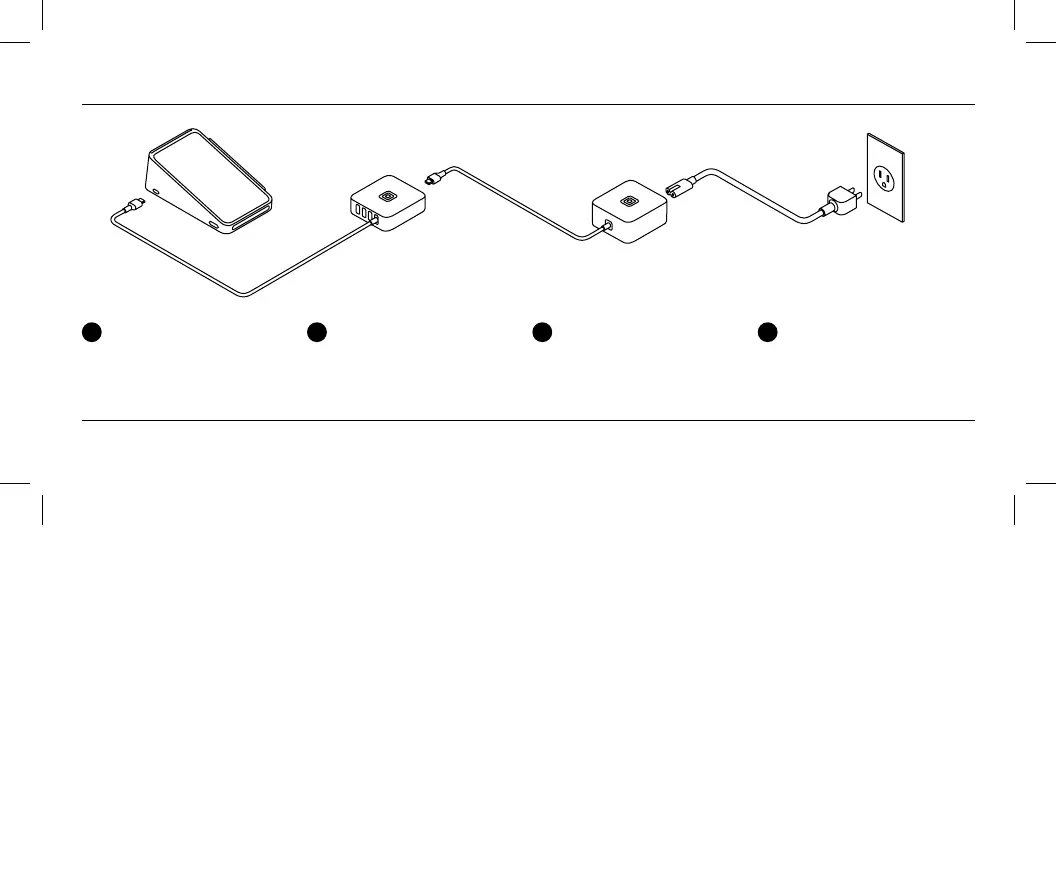
Setting up Ethernet and accessories (optional)
1
Plug the accessory hub
into Terminal.
2
Plug accessories into the
USB pos. For a wired
internet connection, plug
in an Ethernet cable.
3
Plug the power adapter
into the accessory hub.
4
Plug one end of the power
adapter cable into the power
adapter and the other end
into a power outlet.
To learn more about accessories and connecting to the internet, go to square.com/go/terminal-guide.


 To Next Page