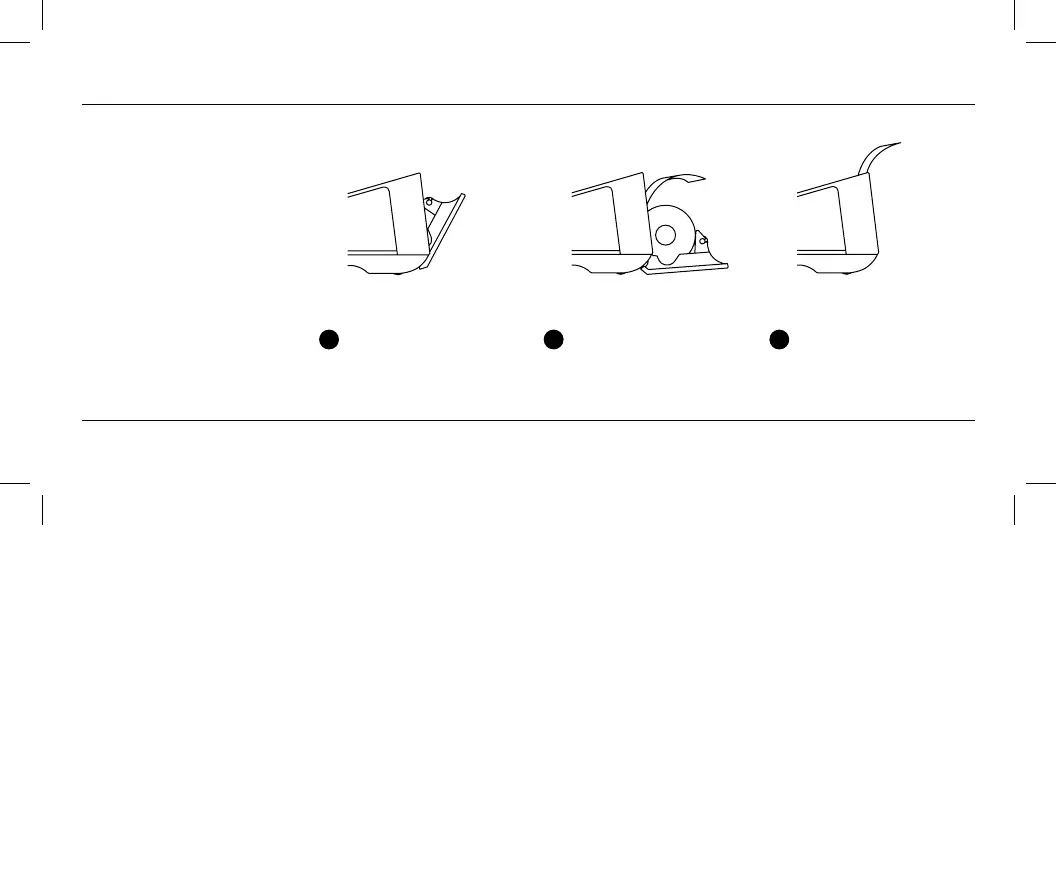
Loading receipt paper
Make sure you position and
orient the roll exactly as shown in
step 2. When tearing off a receipt,
tear down toward the screen.
To view compatible receipt paper and to reorder, go to square.com/go/terminal-paper.
1
Open the printer door
located just above the
screen.
2
Unroll about an inch of
paper from a new roll.
Put the roll in the printer
as shown above.
3
Align the paper with the
feed slots, and then close
the printer door. Tear off
the excess paper.


 To Next Page