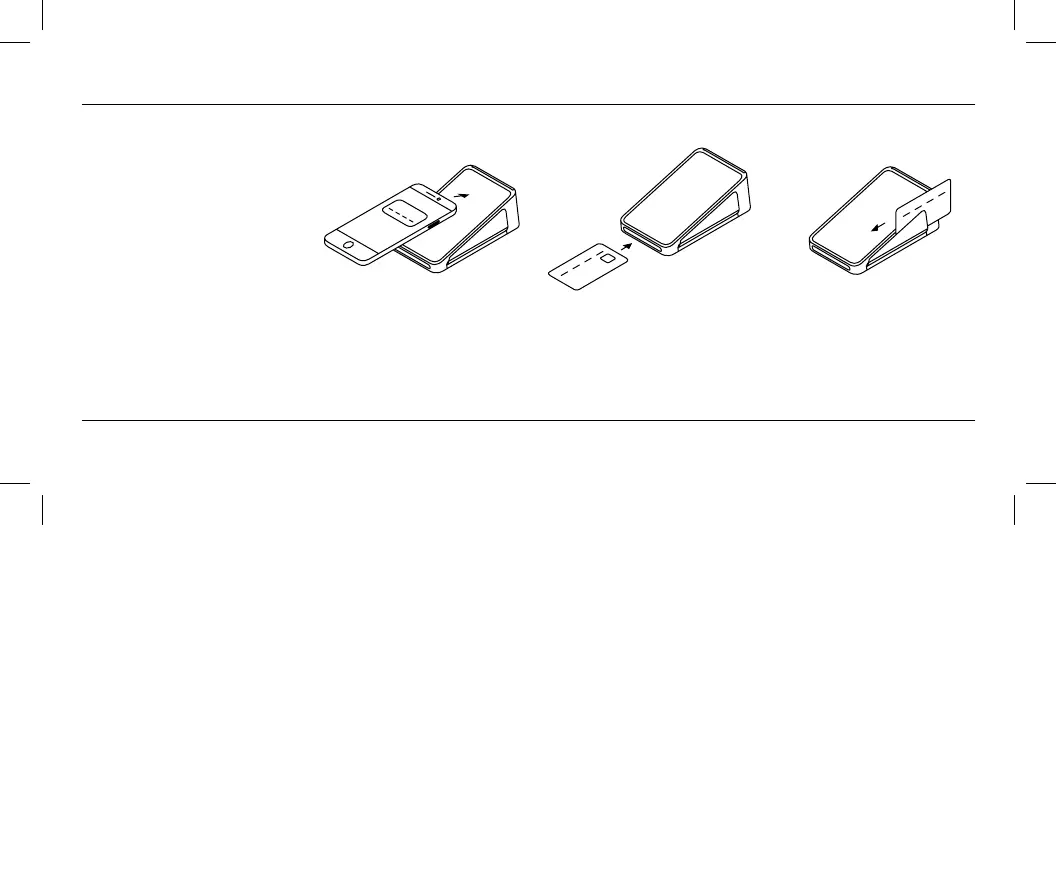
Taking payments
Terminal lets you accept all major
cards and contactless payments.
To take a payment, ring up the
sale and tap Charge.
To learn more about taking payments, go to square.com/go/terminal-guide.
Tap
Hold the device or card near
the screen to trigger payment.
Dip
Inse the chip card into the
slot with the chip facing up.
Swipe
Swipe the card with the
magnetic stripe facing
Terminal.


 To Next Page