CONTROLLER/
MIDI
PROGRAM CHANGES
The Green and Red buttons on the pickguard are used to send “program change up/down”
messages in order to change sounds. On startup, the default program is “27,” which is the
general MIDI program for “Electric Guitar (clean).”
OCTAVE CHANGES
The Yellow and Blue buttons on the pickguard are used to transpose MIDI notes up or down by
one octave. On startup, the low E string is set to E2.
MIDI PITCHBEND
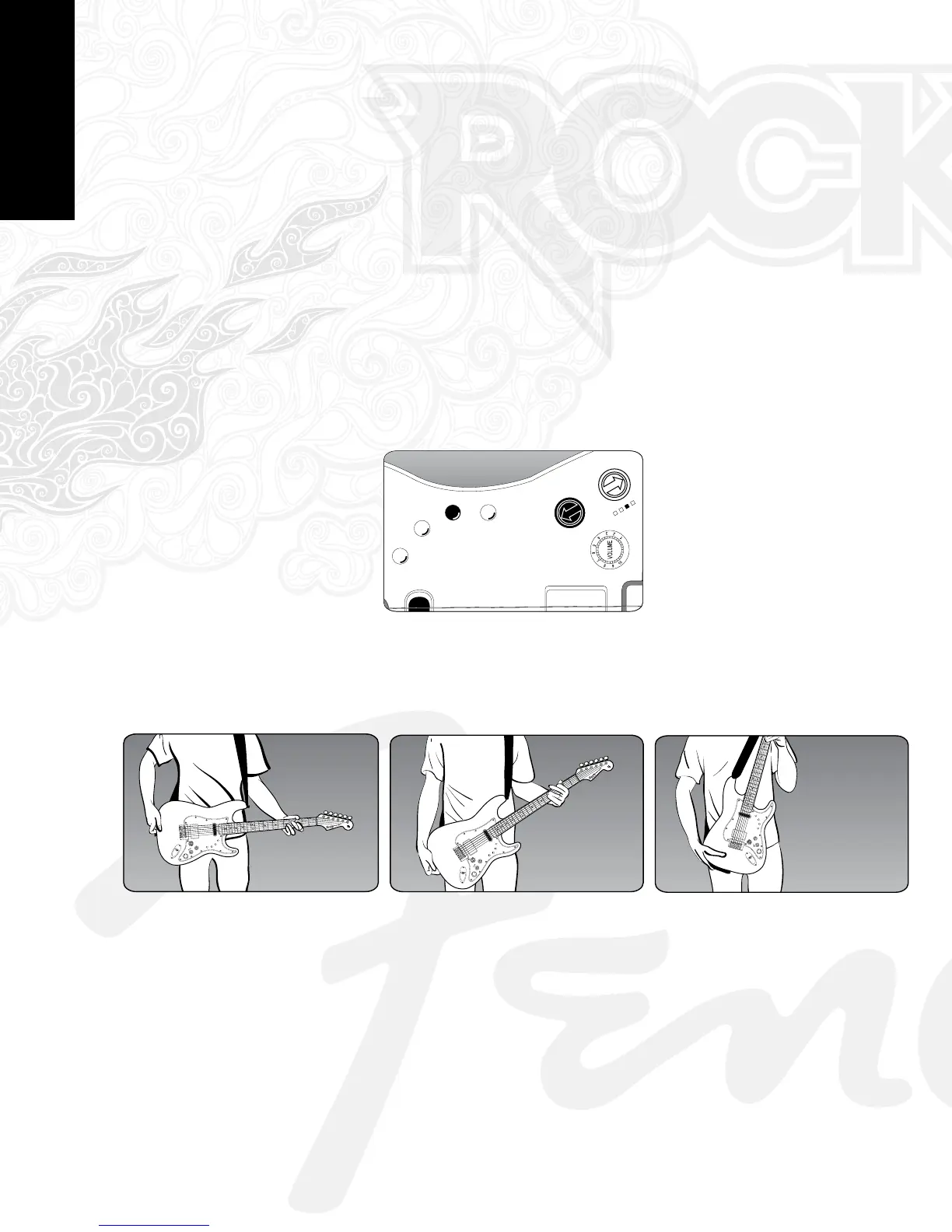
To toggle the MIDI pitchbend, first press and hold the Back Button and then press the Yellow
Button. The third of the 4 LEDs will illuminate to indicate Pitchbend is enabled (see diagram
below).
PRESS ←+YELLOW WHEN 3rd LED IS ON
Pitchbend is controlled by the angle of the neck, as seen in the three diagrams below:
NECK STRAIGHT OUT (CC Value = 0)
NECK AT NORMAL POSITION (CC Value = 64)
NECK UP (CC Value = 127)
[17][7]


 To Next Page