CONTROLLER/
MIDI
MIDI EXPRESSION CONTROL
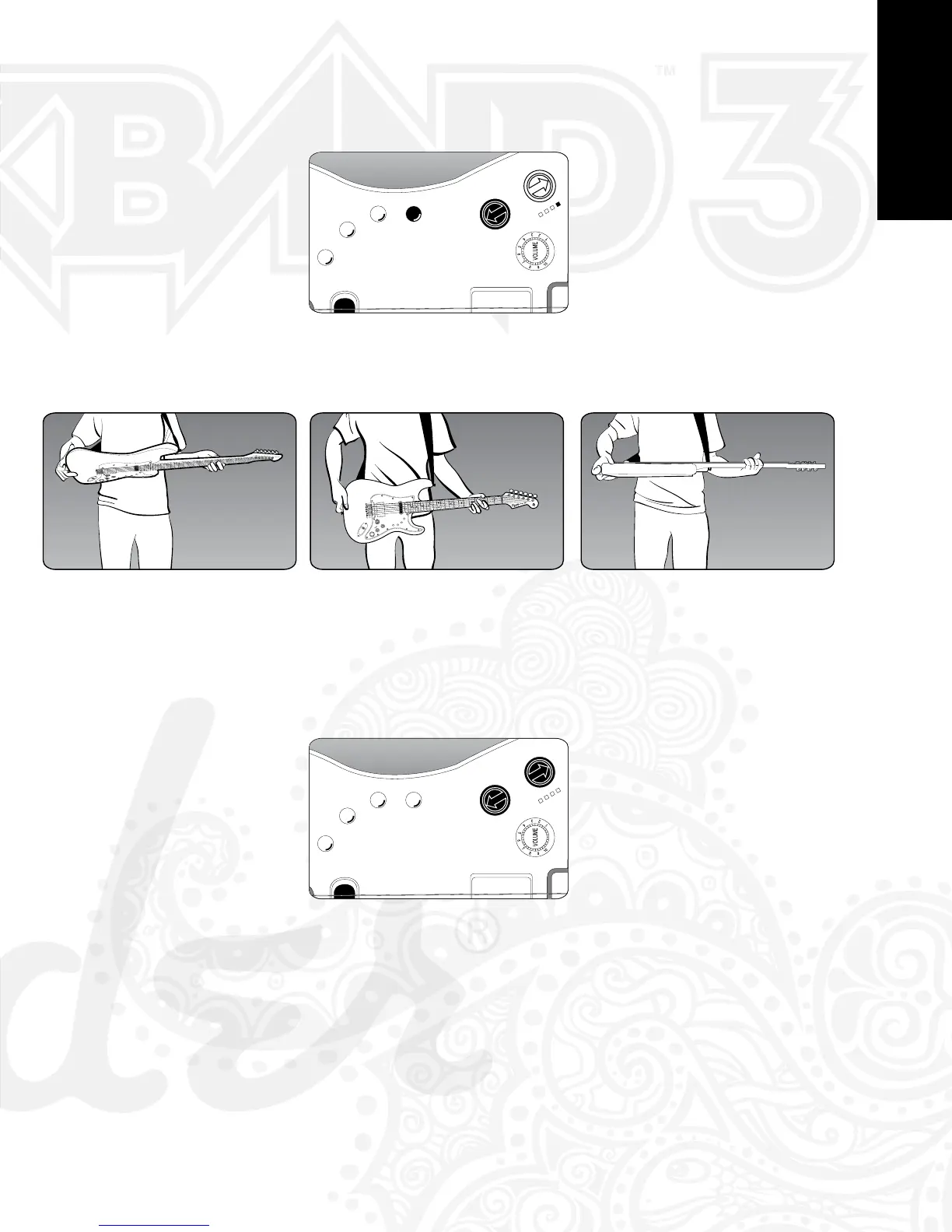
To toggle the MIDI expression control, first press and hold the Back Button and then press the
Blue Button. The fourth of the 4 LEDs will illuminate to indicate Expression Control is enabled
(see diagram below).
PRESS ←+BLUE WHEN 4th LED IS ON
Expression output is controlled by the angle of the Squier® by Fender® Stratocaster® Guitar
and Controller’s body, as seen in the three diagrams below:
PICKUP DOWN (CC Value = 0)
PICKUP PARALLEL TO PLAYER (CC Value = 64)
PICKUP UP (CC Value = 127)
MIDI PANIC
Simultaneously pressing the Start and Back buttons cancels all notes.
PRESS ← + → SIMULTANEOUSLY
[18][8]


 To Next Page