EasyManua.ls Logo

SR Instruments SR Scales SRV957IFS - User Manual

SR Instruments SR Scales SRV957IFS
16 pages
Print Icon
To Next Page IconTo Next Page
Loading...
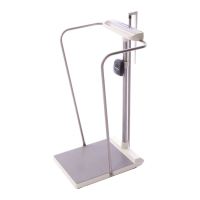
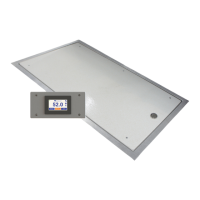
Model SRV957IFS 24 X 48 Remote TFT Display Platform
Operating and Service Manual
Part No. MAN957IFS_220721 Page 1 of 16
SInstruments, Inc., 600 Young Street, Tonawanda, NY 14150
Tel: 716-693-5977 Fax: 716-693-5854 URL: www.srscales.com
email: sri@srinstruments.com Copyright 2022 SInstruments, Inc.
SRV957IFS
REMOTE TFT DISPLAY
PLATFORM SCALE
S
by SR Instruments, Inc.
Operating and Service
Manual

Questions and Answers

  • M
    Mary KirkAug 11, 2025
    What to do if the display of SR Instruments Scales does not turn on?
    • M
      Meredith GarciaAug 11, 2025
      If the SR Instruments Scales display doesn't turn on, the main power may be lost. Check the circuit breaker switch for the Master Display and the wall power module for the Remote Display.
  • I
    Ian RiveraAug 21, 2025
    What to do if SR Instruments Scales display reads 0.0?
    • B
      boltonjacquelineAug 21, 2025
      If the SR Instruments Scales display reads 0.0, ensure the Signal Cable is connected. There should be a weight difference between having the Signal Cable connected compared to being disconnected.
  • A
    Amanda JohnstonAug 31, 2025
    What to do if SR Instruments SR SRV957IFS display reads LOW?
    • C
      carloskimAug 31, 2025
      If the SR Instruments Scales display reads LOW, ensure the scale is on a level surface. Check to make sure all six feet are touching the ground and ensure that nothing is touching the bottom or sides of the platform.

SR Instruments SR Scales SRV957IFS Specifications

General IconGeneral
Capacity1000 lbs
DisplayDigital LCD with backlight
MaterialStainless Steel
PowerBattery or AC adapter
Accuracy0.2 lbs
Power SupplyBattery or AC adapter
InterfaceRS-232