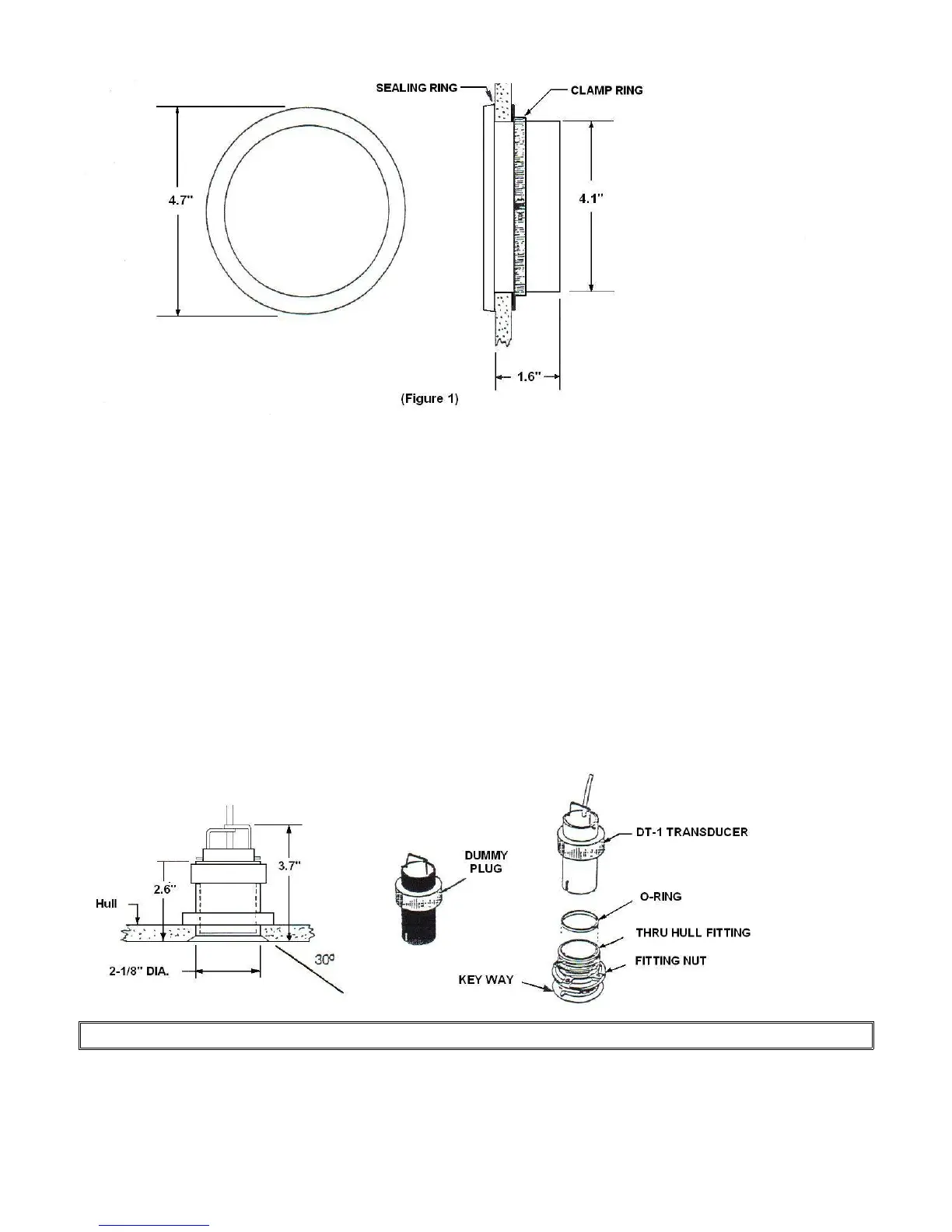
INSTALLING THE DISPLAY
1. Cut a 4- 1/16" (max 4- 1/8") diameter hole in the bulkhead or instrument panel where the
display unit is to be mounted (fig.1).
2. Be sure to remove all burrs and clean the face of the bulkhead or panel with detergent to
remove all traces of dirt, oils, fingerprints, etc...
3. Each display unit is furnished with an adhesive backed sealing ring to hold the unit fast in
place and creates a watertight seal. Please note that it is not recommended that the paper
backing be removed until the system is tested and finally calibrated. When ready for final
mounting simply remove the paper backing, position unit correctly and firmly press into place.
4. Install the RETAINING RING as shown and tighten with a blade type screwdriver.
NOTE: Maximum hull thickness for thru hull fitting is 1- 1/4”
(Figure2)



 To Next Page