5
6
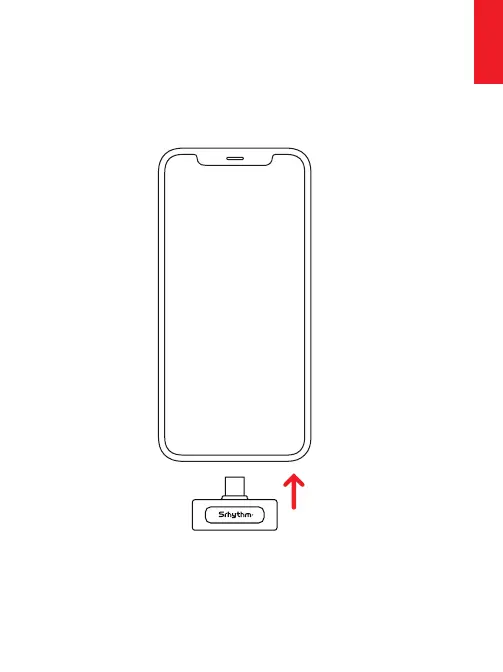
Step1꞉
Plugthereceivertoyourdeviceandyou'llseetheredand
greenlightflashes.
Note꞉(OPPO/VIVO/1QOD/RealmeBrandmobilephonesare
requiredtovisitthesettingstosettoworknormally.
(searchfor"OTG"-turnonOTGpowersupply)
HowToUse
③Receiverindicator
⑤Batteryindicator
⑧TransmitterIndicator
AtaGlance
⑨Transmitterchargingport
⑥ Waterproofsponge
②ReceiverType-C
chargingport
⑦TransmitterMulti-function
button
①Type-CReceiver
⑩Microphoneclip
①
②
③
④
⑤
⑥
⑦
⑧
⑨
⑩
④Chargingboxchargingport
English
English


 To Next Page