7 8
Step3꞉
Ifthemicrophoneindicatorisalwaysongreenandthe
receiverindicatorisalwaysonred,itmeanstheypaired
successfully.Thenopenthephonecamera,liveApporother
Appstostartrecording.
Note꞉Inordertoensuretheeffectiveuseoftheconnection,
thereshouldbenoobstaclesbetweenthemicrophoneand
thereceiver.Whenwearingthemicrophoneforrecordingor
livevideobroadcasting,itisrecommendedtofacethe
receiver,otherwisethesignalmaybeinterrupted.
Step2꞉
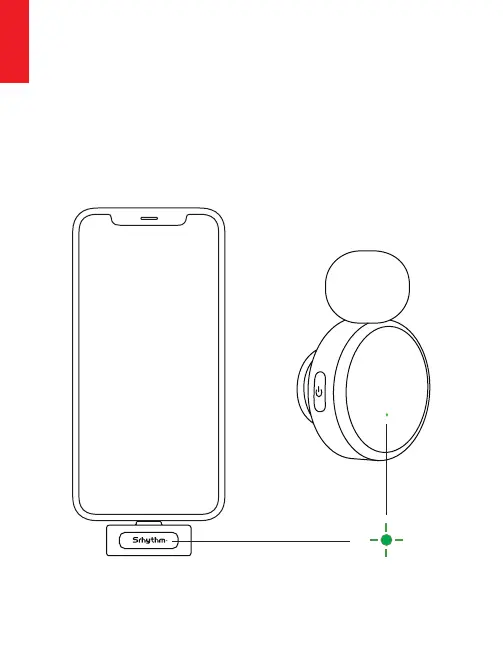
Turnon꞉Longpressthetransmitter'smulti-functionbutton
for3seconds,redandgreenflashingalternatelywaitingfor
pairing,theindicatorlightturnsgreenafterpaired
successfully(defaultintotheNormalrecordingmode)
Turnoff꞉Longpressthetransmitter'smulti-functionbutton
for3s,alllightsgoout.
Greenlighton
English
English


 To Next Page
 Loading...