13 14
Q&A
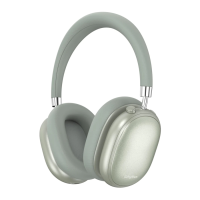
1.Q꞉Whycan'theadphonepairwithmymobilephone?
A꞉Pleasecheckifyourheadphoneisinpairingmodeorre-
connectionmode,checkifBluetoothsearchfunctionofyour
Bluetoothdeviceisturnedon,ifalldone,thengotoBluetooth
menuofyourBluetoothdevice,delete/ignoretheheadphone
Bluetoothpairingname“SrhythmNC95”.Afterthat,youcan
trytoreconnectBluetoothaccordingtoabove“EasyPairing”
steps.
2.Q꞉Whycan'theadphoneturnon?
A꞉Pleasedoublecheckthebatterystatusofyourheadphone.
3.Q꞉CanIreplacebatteryintheheadphone?
A꞉No,youcannot.Headphoneusesabuilt-innon-detachable
Li-Polymerbatterythatcan'tbereplaced.
4.Q꞉CanIuseheadphonewhiledriving?
A꞉Foryoursafety,westronglyrecommendthatyoudonotuse
headphonewhiledrivingtoavoiddistraction.
5.Q꞉Whydoesheadphonesometimesdisconnectswith
Bluetoothdevicewithin10meters?
A꞉Pleasecheckifthereareanymetalmaterialsorobstacles
withinarelativelycloserangeoryoursurroundingsthat
perhapsinterferingwithBluetoothconnection.Thismay
happenbecauseBluetoothisaradiotechnologywhichis
sensitivetoobjectsbetweenheadphoneandotherdevices.
6.Q꞉Whycan'tIhearanysoundfrommycomputerormobile
phone?
A꞉Pleasecheckifoutputchannelofyourcomputersupports
A2DPprofile.Alsocheckthevolumesettingsonyour
headphoneandcomputer/mobilephone.
7.Q꞉WhyamIunabletouseheadphonetocontrolthe
volumeofatrackplayingonanAPPonmymobilephone?
A꞉Duetoconfigurationsofdifferentapplication
software,headphonemaynotbecompletely
compatiblewithsomeAPPs.
Ifanyissues,heretipsforyou꞉
1.FullchargeyourheadphonewithoriginalUSB-CtoUSB-C
chargingcableand5-10Wpowerwallcharger(don'tuse
fastcharger).
2.Resetheadphonebyinsertingaudiocableinto
headphoneaudiosocketthenremovingit.Ortheupgraded
NC95headphoneswouldberesetautomaticallywhen
charging.
DeletePairing꞉Holdthemulti-functionbuttonfor10
secondswhenheadphoneisoff.Duringthisprocess,
"Poweron,Pairingandtwobeeps"canbeheard
sequentially.
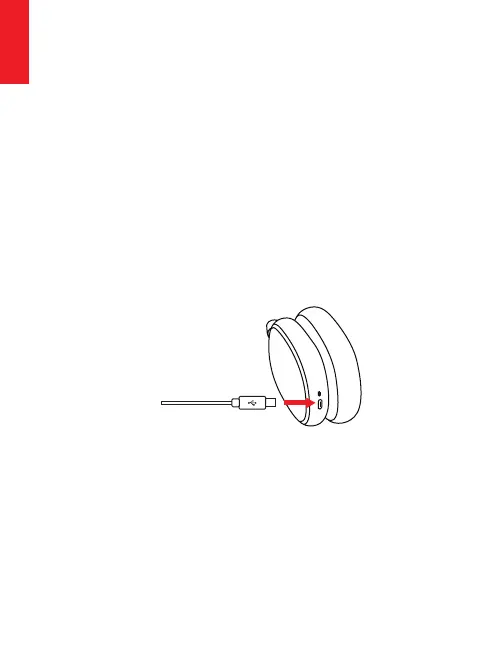
Charging
UsetheincludedType-Cchargingcabletoconnectto
headphoneChargingPort.Connecttheotherendofcharging
cabletoacomputerUSBportorUSBwallchargerunder6.3V
voltage.TurnoffheadphoneBluetoothandANCfunctionbefore
charging.Headphonescan'tbeusedduringchargingforyour
safety.TheLEDindicatorlightwillbeofforbluecolorwhenfull
ofchargebasingonheadphoneturnoffstatus.
StartyourmobilephoneBluetoothandfindheadphoneBluetooth
pairingname“SrhythmNC95”toclickittopair.(theLED
indicatorlightwillbeblueflashingslowlyafterpairing
successfully.)
HoldtheMulti-functionButtonfor3-5secondstoturn
headphoneBluetoothoff.
NOTE꞉Ambienttemperatureexceedsthechargingtemperature
rangeof32°F(0°C)-113°F(45°C).
English
English


 To Next Page
 Loading...