
 Need help?
Do you have a question about the Sricam SriHome SP017 and is the answer not in the manual?
Preparation steps before configuring the camera, including antenna mounting and Wi-Fi settings.
Guide for installing the SriHome application on a mobile device via app stores or QR codes.
Instructions for creating an account and logging into the SriHome application.
Procedure for establishing a network connection for the IP camera.
Procedure for powering on the IP camera and the expected audio feedback.
Steps to add the camera to the SriHome application using the device's ID and Wi-Fi credentials.
Common issues and solutions for adding the camera to the SriHome app, including 'beep' sounds and Wi-Fi passwords.
Instructions to connect the smartphone to the camera's generated WiFi network for setup.
Adding the camera to the SriHome app by entering device ID, name, password, and configuring Wi-Fi settings.
Guide for managing user access, defining operator and visitor roles, and setting permissions.
 General
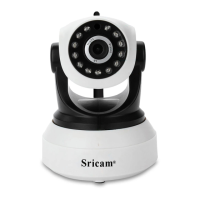
| IR Distance | 10 meters |
|---|---|
| Viewing Angle | 90° |
| Motion Detection | Yes |
| Power Supply | DC 5V/2A |
| Resolution | 1920 x 1080 |
| Connectivity | Wi-Fi |
| Night Vision | Yes |
| Pan/Tilt | 355° Pan, 90° Tilt |
| Audio | Two-way audio |
| Storage | Supports up to 128GB MicroSD card |
| Protocols | TCP/IP, HTTP, DHCP, RTSP |
| Operating Temperature | -10°C to 50°C |
| Operating Humidity | 10% to 90% non-condensing |

 To Next Page