Page | 4
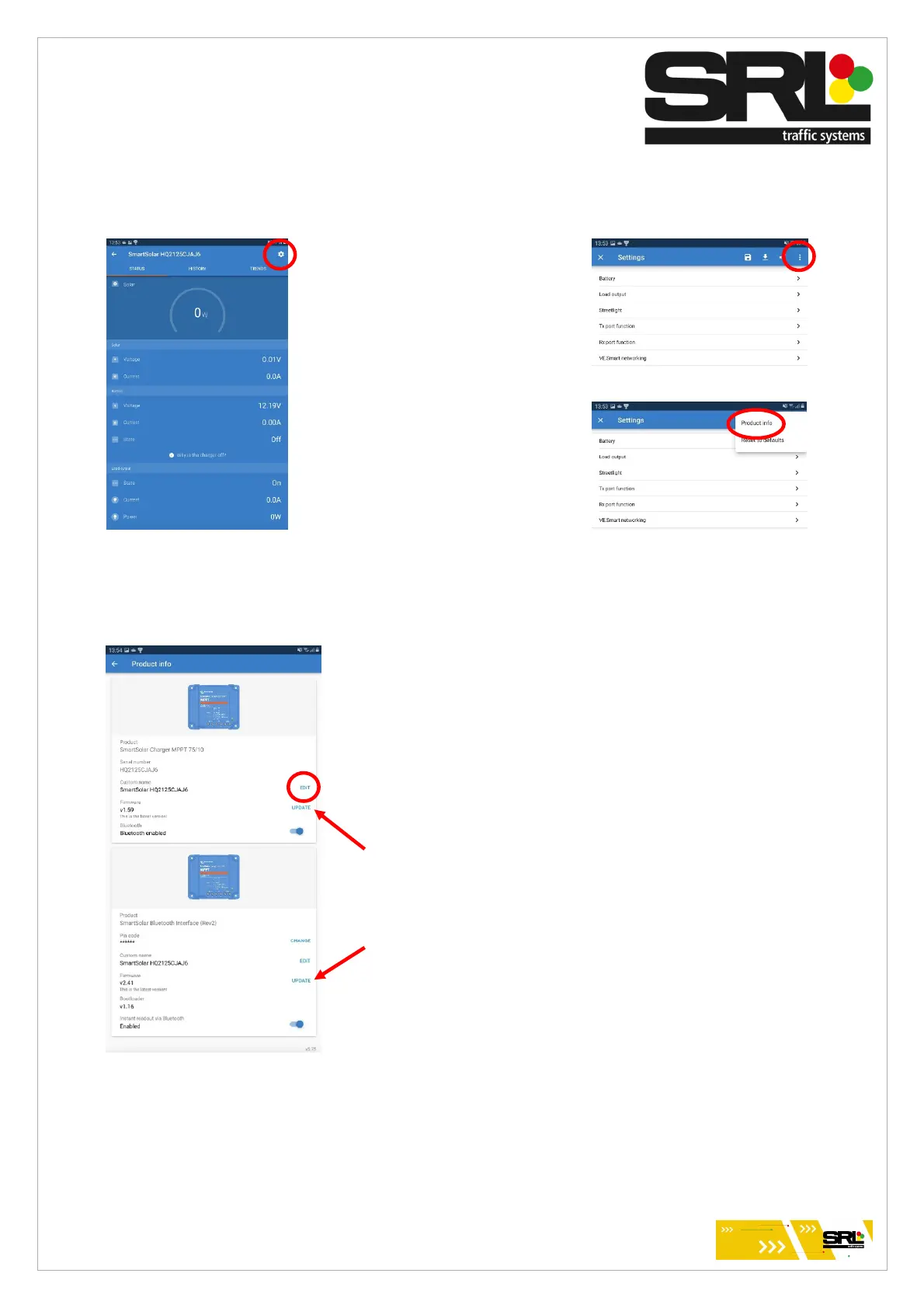
Select settings in the top right of the
screen followed by the 3 inline dots
in the top right, followed by Product
info.
In Product info the top custom name is to be change by clicking
edit.
Change the name of this device to match the fleet number
provided to the solar assembly including any letters and
numbers.
While on this page it is good practice to select both updates to
ensure all firmware is up to date.
Once complete, navigate back to the settings page.



 To Next Page