EasyManua.ls Logo

Srne HF4830S60-H - User Manual

Srne HF4830S60-H
34 pages
Print Icon
To Next Page IconTo Next Page
Loading...
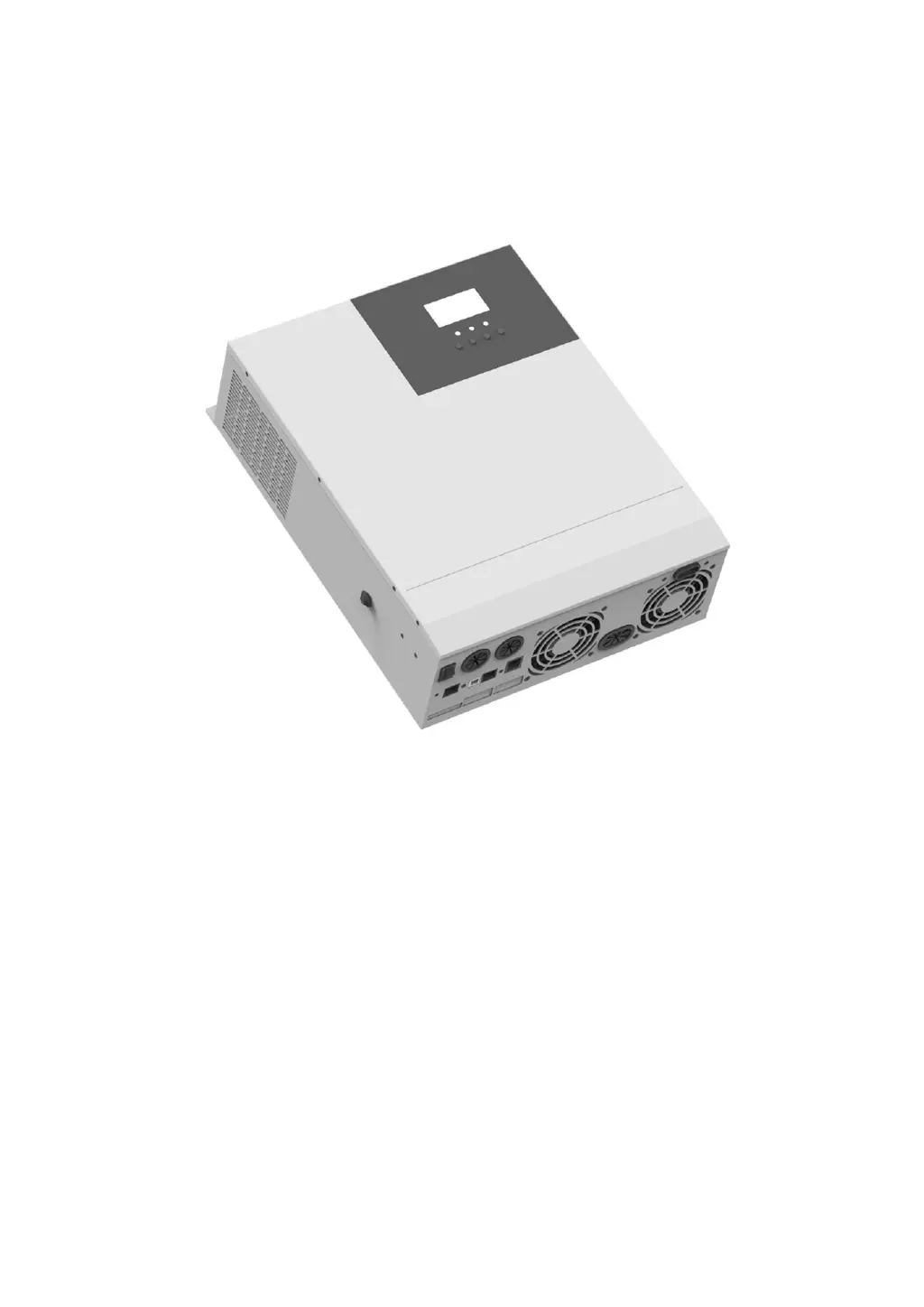
SOLAR INVERTER CHARGER
Product Manual
Product Type
HF4830S60-H | HF4850S80-H
MF4830S60-H | MF4850S80-H
Solar Energy Storage Inverting & Control All-In-One Machine 1

Questions and Answers

  • G
    gmccarthyAug 13, 2025
    What to do if Srne HF4830S60-H shows PV overvoltage?
    • M
      Marie WoodsAug 13, 2025
      If the Srne Battery Charger indicates 'PV overvoltage', it means the PV input voltage is exceeding the maximum allowable input. Use a multimeter to check if the PV input voltage is within the acceptable range.
  • B
    Barbara SchaeferAug 17, 2025
    What to do if Srne HF4830S60-H Battery Charger shows bypass overload protection?
    • A
      Amanda McculloughAug 17, 2025
      If the Srne Battery Charger displays 'Bypass overload protection' or 'inverting overload protection', try decreasing the power consumption of connected devices. Then, restart the all-in-one machine to restore the load output.
  • T
    Troy ReedAug 21, 2025
    What to do if Srne HF4830S60-H shows inverting short-circuit protection?
    • K
      Kathleen ParkAug 21, 2025
      If the Srne Battery Charger displays 'Inverting short-circuit protection', carefully inspect the load connection to identify and fix any short-circuit faults. After resolving the issue and powering the device on again, the load output should be restored.
  • T
    Traci JohnsonAug 25, 2025
    How to fix Srne HF4830S60-H no display on screen?
    • A
      Amanda KnappAug 26, 2025
      If the Srne Battery Charger screen is blank, verify that the battery air switch or PV air switch is closed and in the "on" state. You can also try pressing any key on the screen to wake it from sleep mode.
  • L
    Luis StephensAug 28, 2025
    What to do if Srne HF4830S60-H indicates charge battery overvoltage protection?
    • H
      Heather FranklinAug 28, 2025
      If the Srne Battery Charger shows a 'Charge battery overvoltage protection' error, it indicates that the battery voltage is exceeding 60V. Disconnect the photovoltaic array air switch and the AC air switch.
  • M
    Melissa CrossSep 1, 2025
    What to do if Srne Battery Charger shows no connection alarm of battery?
    • E
      Elizabeth Sheppard DDSSep 1, 2025
      If the Srne Battery Charger is alarming about 'No connection of battery', check if the battery is disconnected or if the breaker at the battery side is not closed.
  • L
    Lindsey Carroll DDSSep 4, 2025
    What to do if Srne HF4830S60-H Battery Charger has radiator overtemperature protection?
    • K
      Kenneth WagnerSep 4, 2025
      If the Srne Battery Charger's radiator is experiencing overtemperature protection, the device should automatically return to normal charge and discharge control once it cools down below the overtemperature recovery temperature.
  • T
    Thomas NorrisSep 8, 2025
    What to do if Srne Battery Charger reports fan fault?
    • T
      Terry RamirezSep 9, 2025
      If the Srne Battery Charger reports a fan fault, check the fan to see if it is not working or is blocked by something. Ensure the fan can operate freely.

Summary

Important Safety Instruction

1. Basic Information

1.1 Product Overview and Characteristics

Details about the product's features, capabilities, and design.

1.2 Basic System Introduction

Explains the system application scenario and its components.

1.3 Product Characteristics

Lists the key technical features and advantages of the product.

1.4 Dimension Drawing

Provides physical dimensions and layout of the product.

2. Installation Instruction

2.1 Installation Notice

Important precautions and guidelines before installing the machine.

2.2 Wire Specification and Breaker Type

Recommended wire sizes and circuit breaker types for different connections.

2.3 Installation and Wiring

Step-by-step instructions for mounting and connecting the device.

3. Operating Mode

3.1 Charge Mode

Describes the different modes for charging the battery.

3.2 Output Mode

Details the various modes for supplying power to the load.

4. Operation Instruction for LCD Screen

4.1 Operation and Display Panel

Overview of the physical control panel and display elements.

4.2 Introduction to Operation Keys

Explains the function of each button on the control panel.

4.3 Introduction to Indicator Light

Describes the meaning of the status indicator lights.

4.4 Introduction to LCD Screen

Details the icons and information displayed on the LCD screen.

4.5 Setting Parameter

Guides on how to navigate and change system settings via the LCD.

4.6 Battery Type Parameters

Lists configurable parameters specific to different battery types.

5. Other Function

5.1 Dry Node Function

Explains the dry node's capability to control a diesel generator.

5.2 RS485 Communication Function

Details the RS485 ports for communication and BMS integration.

5.3 USB Communication Function

Describes the USB port for PC communication and software usage.

6. Protection

6.1 Protection Function

Lists various protection mechanisms implemented in the device.

6.2 Meaning of Fault Code

Explains the fault codes and their impact on operation.

6.3 Some Fault Troubleshooting

Provides solutions for common faults and issues encountered.

7. System Maintenance

8. Technical Parameter

Srne HF4830S60-H Specifications

General IconGeneral
ModelHF4830S60-H
Efficiency (Peak)93%
WaveformPure sine wave
Battery Voltage48VDC
Maximum Solar Charge Current60A
Maximum AC Charge Current30A
Selectable Voltage Range90-280VAC
Transfer Time≤10ms
Humidity5% to 95% (non-condensing)
Cooling MethodFan Cooling
Protection FeaturesOver temperature protection

Related product manuals